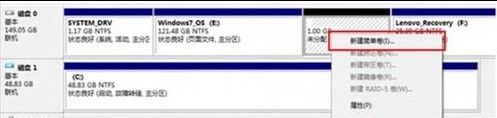
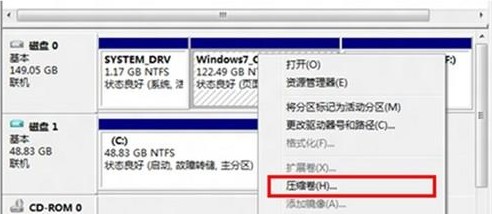
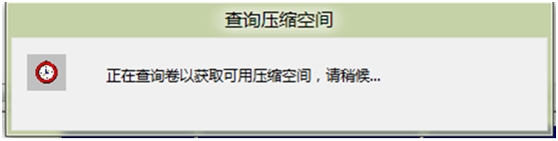
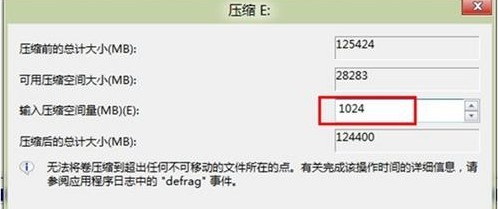
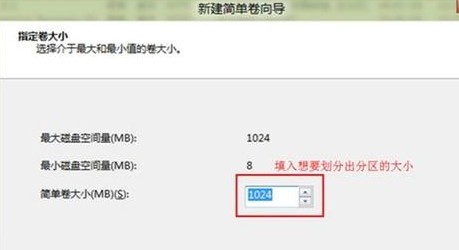
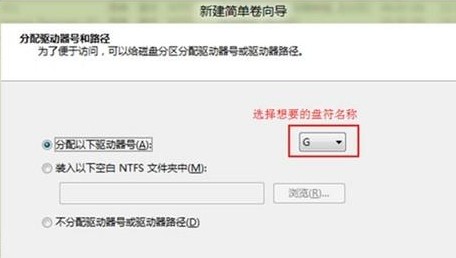
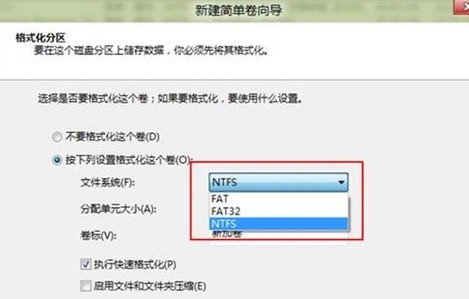
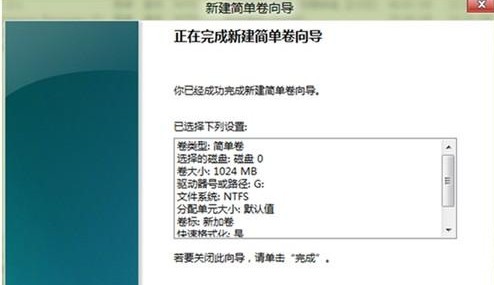
透過磁碟管理工具壓縮現有分區釋放空間,再建立新簡單磁碟區。
Win8 系統用組策略啟用應用商店教程
Windows 8.1 應用程式安裝錯誤 0x80004005 解決方法:重新註冊 DLL 檔案
Windows 8 停用觸控螢幕鍵盤服務:關閉 Touch Keyboard and Handwriting Panel Service
Win8 設定寬帶連線自動記住帳號密碼 (撥號上網憑證儲存) 教學
Windows 8 切換主題導致桌面圖示/滑鼠指標變更解決教學
修改登錄讓 Windows 8.1 立即收到 Update 1 更新推送
Windows 8 系統維護三大實用技巧
Windows 8 任務管理器五大啟動技巧全攻略