自 Windows 3.1 以來內建的「掃雷」在 Windows 8 不再預裝。
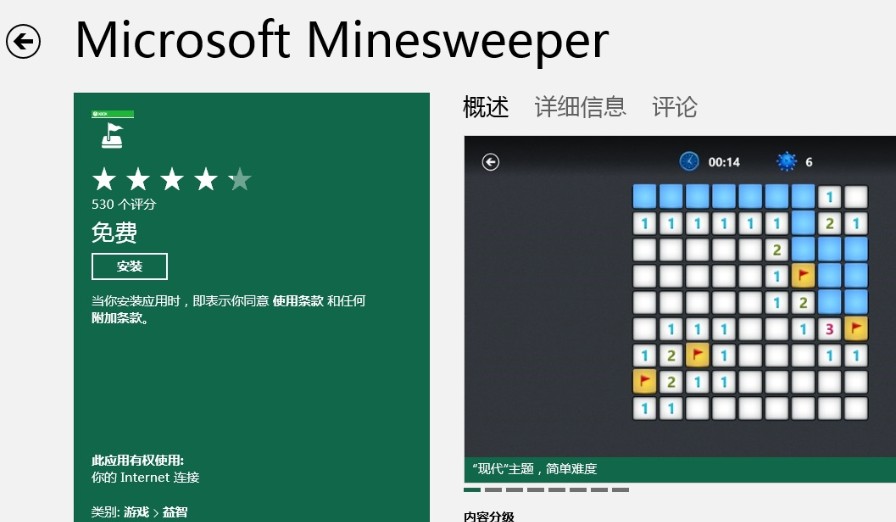
同理,「蜘蛛紙牌」、「紅心大戰」等經典遊戲亦需至 Store 下載對應的 Microsoft 官方版本。
Windows 8/8.1 內建地圖應用程式英文介面轉中文:語言偏好設定將中文設為首選語言
Win8 開啟命令提示字元三大法:Win+R 執行 CMD、Win+X 選單、Win+Q 搜尋
Windows 8 Microsoft 帳戶註冊與同步設定完整指南
Win8 內建 IIS 架設 FTP 伺服器:十步驟完整圖文教學
善用 Windows 8 睡眠模式:合上筆記型電腦蓋子即走人
Win8 應用程式商店無法連網:netsh winhttp import proxy 修復代理設定
Win8 安裝 .NET 3.5 出現 0x800F0906 錯誤解決:群組原則指定替代來源或使用安裝媒體 DISM 指令
Windows 8 IE 瀏覽器提示「未安裝 Flash Player」完整解決方案:啟用附加元件、安裝修補程式、重新註冊 DLL