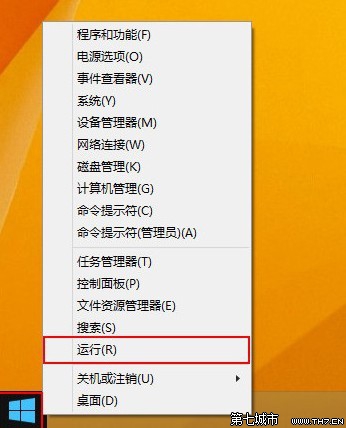
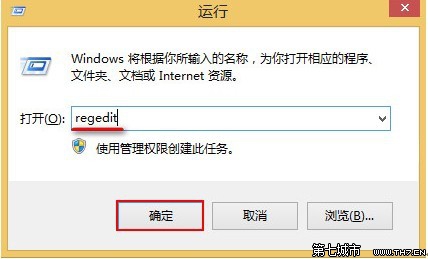
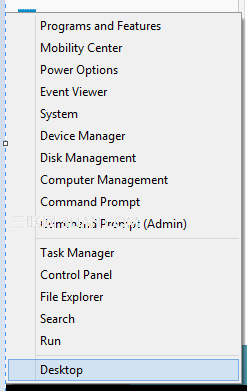
regedit
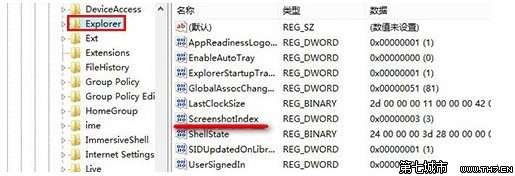
HKEY_CURRENT_USER\Software\Microsoft\Windows\CurrentVersion\Explorer
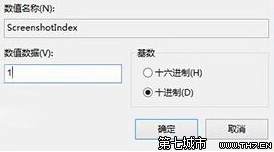
ScreenshotIndex
1
Win8 筆電完全無聲音?聲卡驅動、音量靜音、喇叭設定三步排查
Win8 IE11 兼容性差?卸载更新回退 IE10 仅需几步
Windows 8 如何開啟螢幕放大鏡?五種方法從快捷鍵、執行指令到開始畫面全涵蓋
Win8/8.1 開機軟體衝突?乾淨啟動診斷與排除完整教學
Windows 8 移除桌面「家庭群組」圖示的批次檔法
Windows 8 使用習慣調整:刪除檔案確認提示、移除舊版 Windows 安裝檔釋放空間
雙系統環境移除 Win8.1 保留 Win7:msconfig 刪除啟動項 + 格式化分割區
Win8 密碼輸入框顯示「眼睛圖示」:一鍵切換明文/隱藏模式