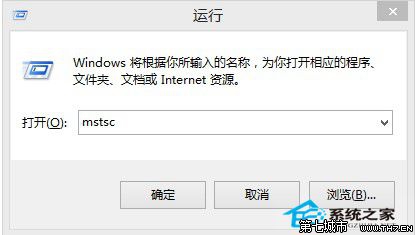
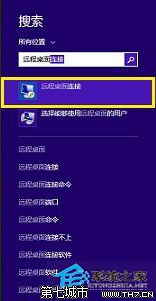
Windows 8.1 內建遠端桌面連線工具,提供三種快速開啟管道:
mstsc
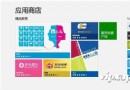
應用商店搜尋「遠端桌面」可下載第三方客戶端,但系統內建 mstsc 功能完整、無廣告、無需額外安裝,建議直接使用方法一或二。
Win8 IE 瀏覽器頻繁停止運作/當機?重設 Internet Explorer 設定修復
Win8 系統提示 rasman.dll 遺失無法執行程式?掃描註冊 DLL 或修復系統檔案
Windows 8 鎖定畫面操作技巧:快速鎖定與解鎖
Win8.1 任務列圖示中間出現大空隙?三步排除法快速修復
Windows 8 無線網卡已開啟卻找不到訊號?啟用 WLAN AutoConfig 服務解決
Win8.1 合理設定虛擬記憶體提升流暢度:自訂大小 1.5-2 倍實體記憶體
Win8 如何更換百度輸入法皮膚?自訂外觀完整教學
Windows 8 安裝印表機完整指南:自動偵測、手動新增、進階設定與疑難排解