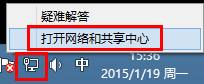
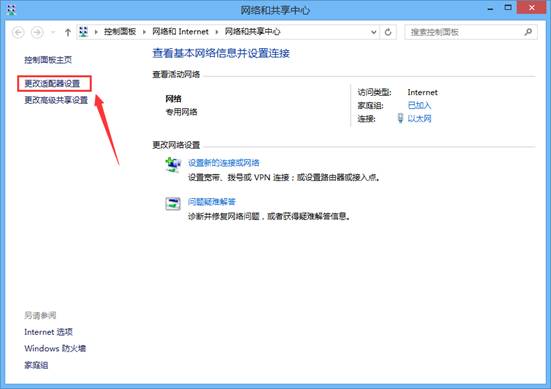
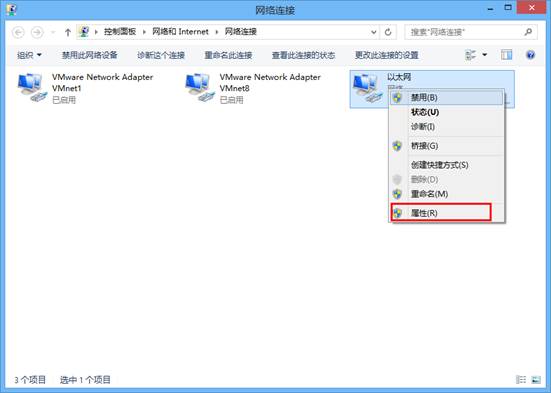
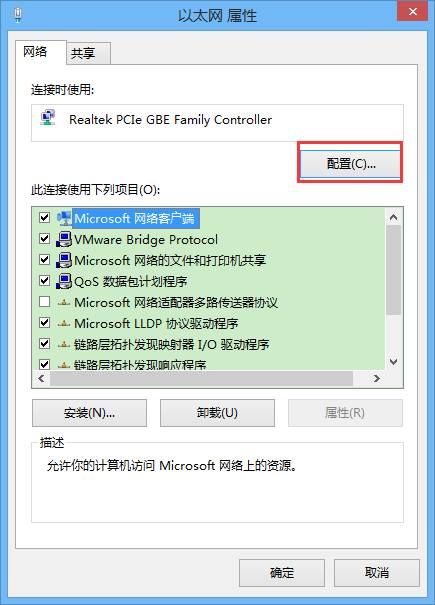
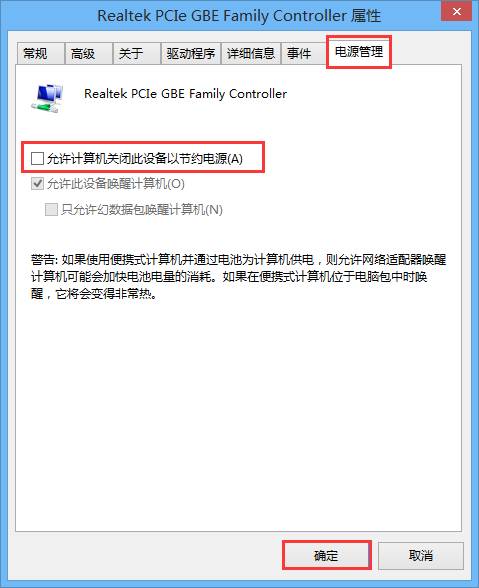
Windows 8.1 睡眠喚醒後網路斷線,主因是網卡電源管理允許系統為省電關閉裝置。關閉此選項即可解決。
此設定對筆電電池續航影響極微,但能徹底解決喚醒斷網困擾。
Win8 藍屏 system_service_exception (win32k.sys) 關閉快速啟動即可修復
Win8 如何查看系統是否為正版?slmgr 指令檢查授權類型
Windows 8 開啟「上帝模式」整合所有控制面板設定
Win 8 玩《傳奇》等 2D 老遊戲花屏?相容模式設為 Win 7/XP + 16 位元色彩即可解決
Win8 圖片庫新增照片完整步驟教學
Windows 8 使用 RD 指令刪除權限不足的頑固資料夾
Windows 8 無線網路「受限」/「無法連線」解決方案
用 USB 隨身碟安裝 Win8 + Win7 雙系統:UltraISO 製作啟動碟教學