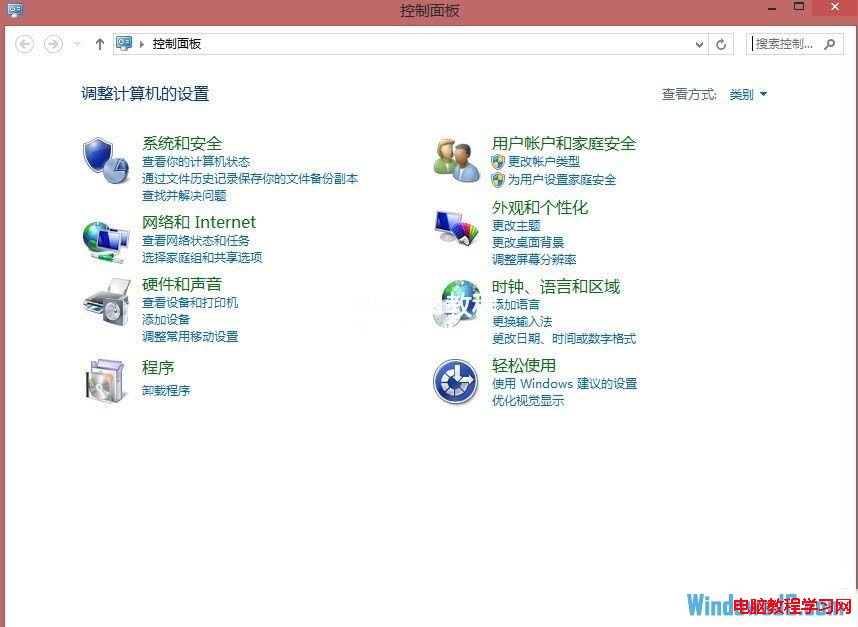
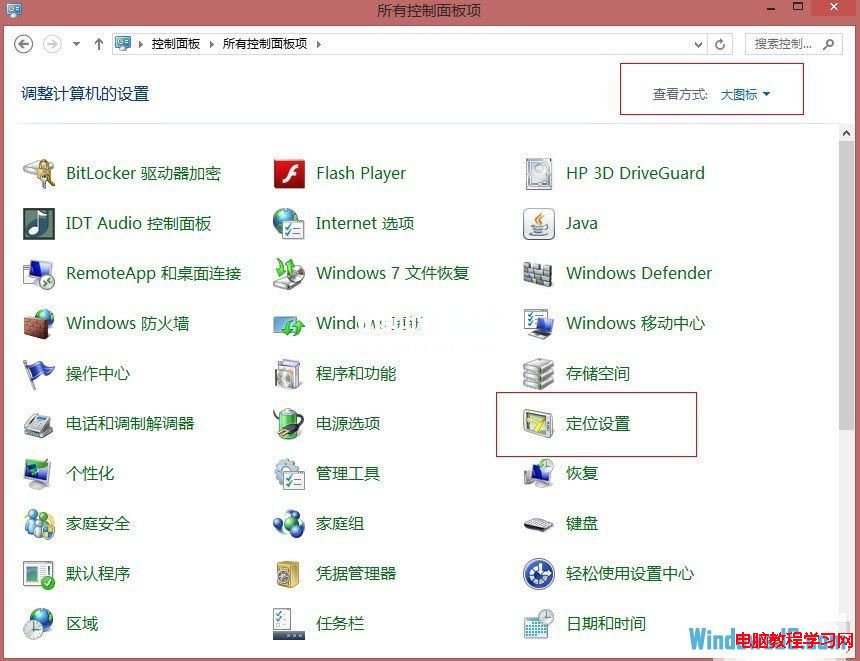
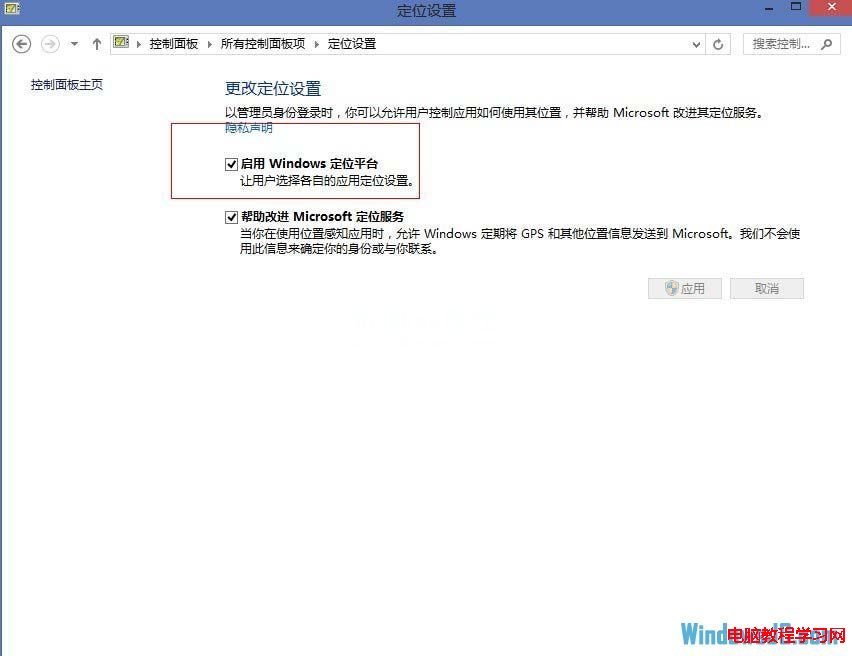
Windows 8 內建地理定位平台,基於 IP 定位(精度約 25 公里),供地圖、天氣等應用呼叫。首次使用定位功能時會提示使用者授權,也可在控制台統一開啟/關閉。
啟用後,Metro 介面的「地圖」、「天氣」等應用即可自動取得位置顯示本地資訊。隱私考量下,可隨時在同處關閉或管理個別應用的定位權限。
Windows 8.1 關機後自動重開機?三招解決快速啟動喚醒問題
Windows 8 刪除檔案總管瀏覽歷史記錄:三步驟清除地址列紀錄
Win8 禁用 IE10 關閉多個分頁警告:網際網路選項取消勾選關閉警告
Windows 8 無法使用 Proxy 代理伺服器上網?導入 IE 代理設定解決
Windows 8 系統優化設定:自動登入跳過密碼、增加應用商店熱門應用顯示
Windows 8 多顯示器支援完整解析:工作列、背景、Metro 應用跨螢幕操作
Win8 工作列圖示太多太亂?3 招整理術:隱藏文字、建立工具列、Bins 堆疊管理
Win8 開機自動彈出 Bing/IE 網頁?關閉 NLA 主動探測修復