Windows XP Windows 7 Windows 2003 Windows Vista Windows 綜合教學 Linux 系統教學
Windows 10 Windows 8 Windows 2008 Windows NT Windows Server 電腦軟體教學

Win8 網路連線錯誤 118 完整修復指令教學

編輯:Win8 系統應用技巧

Windows 8 出現網路連線錯誤代碼 118(連線逾時)時,可透過命令提示字元依序執行網路診斷與修復指令。本文提供標準化操作流程。

修復步驟

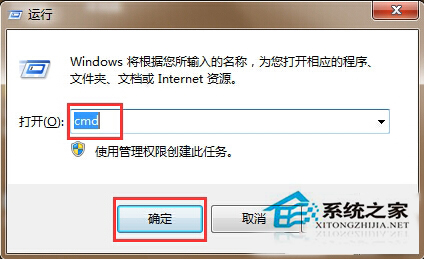
  1. 按 Win+R → cmd → Ctrl+Shift+Enter 以管理員身分開啟命令提示字元。
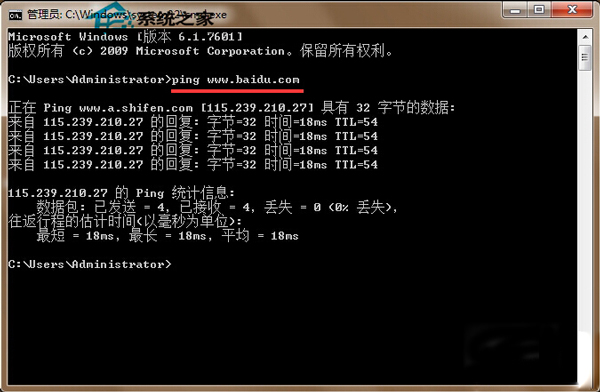
  2. 測試連通性:ping www.google.com
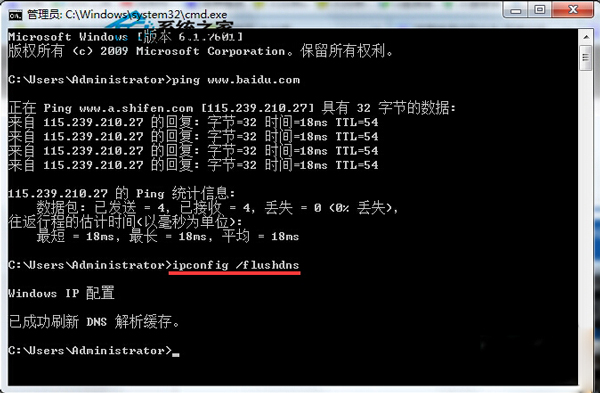
  3. 清除 DNS 快取:ipconfig /flushdns
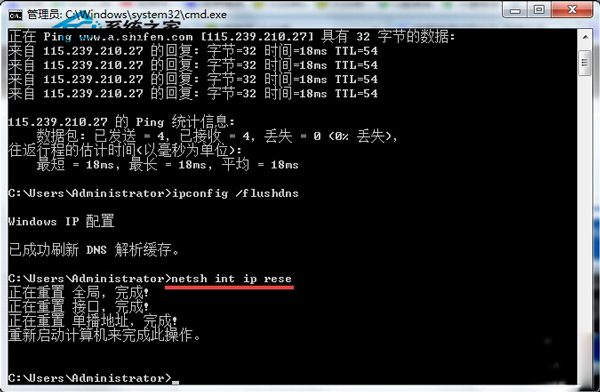
  4. 重設 TCP/IP 協定堆疊:netsh int ip reset
    修正:原文「nets hint rese」為錯誤指令,正確為 netsh int ip reset。
  5. 建議同步執行:netsh winsock reset
  6. 重新啟動電腦完成修復。

說明

此流程可解決多數由 DNS 汙染、TCP/IP 堆疊損毀、Winsock 目錄異常引起的連線逾時問題。若重開機後仍無法上網,請檢查防火牆、Proxy 設定、網路卡驅動程式及路由器狀態。

Copyright © Windows教程網 All Rights Reserved