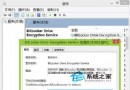
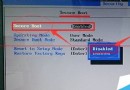
此為官方標準移除方式,乾淨不留殘留註冊表垃圾。
Windows 8 Metro 應用程式無法開啟?三大常見原因與解決方案
Win8 調整 ClearType 字體平滑效果,讓文字顯示更銳利
Windows 8 主題完整操作指南:建立、儲存、分享、刪除、取得更多主題,打造專屬桌面風格
Windows 8 快捷鍵大全:Win+D、Win+C、Alt+F4、Win+PrtSc、Win+M、Win+Tab、Win+P、Win+R、Win+X 讓 Metro 操作省力省時
Windows 8 變更搜尋設定:清除歷史、關閉網路搜尋、控制 Bing 分享資訊
Win8.1 螢幕亮度調節全攻略:筆電熱鍵、電源選項、行動中心三大入口