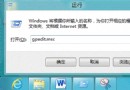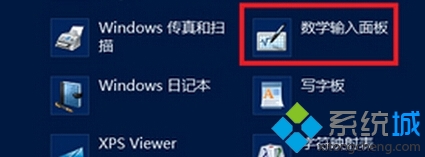
mip → 確定,直接開啟數學輸入面板。兩種方式皆可快速呼叫手寫數學公式功能,適合需要輸入複雜數學符號的使用者。
Windows 8 Hybrid Boot 混合開機啟用與關閉完整教學
Win8.1 升級 Win10 遇 0xc1900101-0x40017 錯誤?卸載安全軟體與顯示卡驅動再試
Win8 系統誤判為 Windows To Go 環境修復:刪除登錄表 PortableOperatingSystem 值
Win8.1 安裝必應輸入法兩大技巧:升級覆蓋法與靜默安裝法
Windows 8 開啟控制台四大法:右鍵開始、搜尋、執行指令、所有應用清單
破解 Windows 8 解析度過低無法執行 Metro 應用程式限制