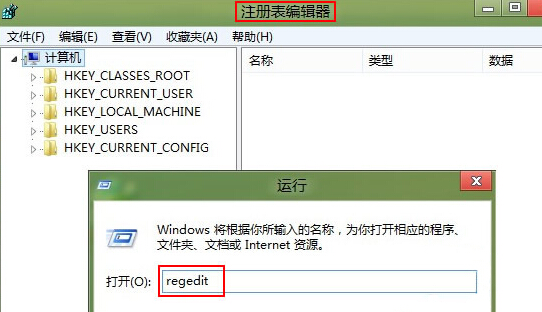
regedit
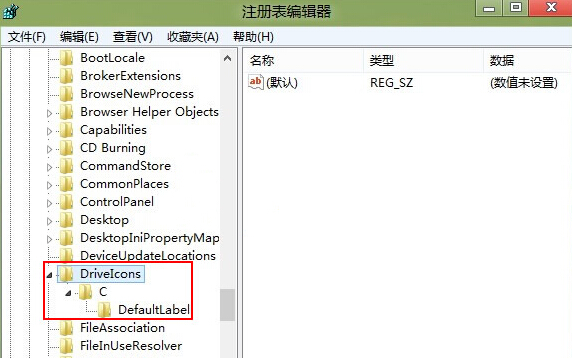
DriveIcons
HKEY_LOCAL_MACHINE\SOFTWARE\Microsoft\Windows\CurrentVersion\Explorer\DriveIcons
C
DefaultLabel
Windows8
此修改僅改變檔案總管顯示的磁碟標籤,不影響實際磁碟分割區代號與資料。
Windows 8.1 開啟驅動程式簽名強制導致無法安裝驅動?進入啟動設定按 F7 停用強制簽名
Win8 系統開啟圖片速度緩慢?教你幾招徹底解決
Win8.1 應用程式商店無法開啟/連線失敗:四大修復方案
Windows 8 快速開機原理與啟用/關閉「快速啟動」設定教學
Win8 修改登錄檔縮小視窗邊框:打造類 Mac OS X 窄邊框視覺效果
Win8 開啟工作管理員多種方法:自建捷徑、熱鍵、執行指令
Win8 遠端桌面「憑證不工作」三大解決方案:群組原則、憑證管理器、網路安全模型
Win8 關閉顯示卡硬體加速:註冊表修改 Acceleration.Level 完整教學