Windows XP Windows 7 Windows 2003 Windows Vista Windows 綜合教學 Linux 系統教學
Windows 10 Windows 8 Windows 2008 Windows NT Windows Server 電腦軟體教學

Win8 找不到「新增/移除程式」圖示?註冊表修復控制台顯示

編輯:Win8 系統應用技巧

Windows 8 控制台中「新增/移除程式」(程式和功能)圖示消失,可透過刪除註冊表 DisallowCpl 值並重啟資源管理器恢復。

修復步驟

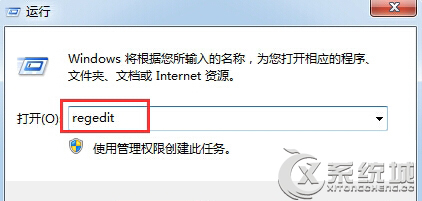
  1. 按 Win+R 輸入 regedit,定位至:
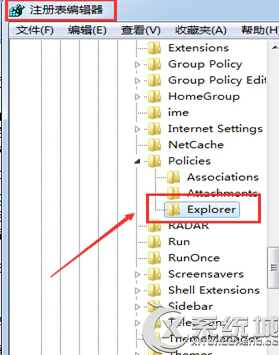
    HKEY_CURRENT_USER\Software\Microsoft\Windows\CurrentVersion\Policies\Explorer
  2. 右側刪除 DisallowCpl 值。
  3. 刪除 DisallowCpl
  4. 建立批次檔重啟資源管理器:記事本輸入 taskkill /f /im explorer.exe & start explorer.exe,存為 restart_explorer.bat 執行。
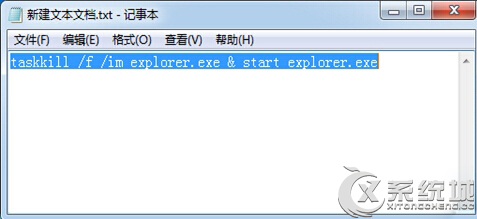
  5. 重啟資源管理器批次檔 批次檔內容

重啟後控制台將顯示「程式和功能」圖示,可正常移除程式。

Copyright © Windows教程網 All Rights Reserved