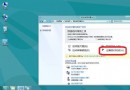
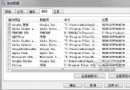
Windows 8 預設僅允許經過 Store 簽章的 Metro 應用執行。安裝第三方未簽章應用需進行「越獄」 (開發者授權)。
注意:現代 Windows 版本建議
Windows 8/8.1 已停止主流支援,建議升級至 Windows 10/11,啟用「開發人員模式」 (設定 → 更新與安全性 → 開發人員專用) 即可側載應用,無需越獄。
歷史參考:Windows 8 越獄流程 (僅供舊版本維護參考)
- 安裝優化大師類工具 (如 Windows 8 Tweaker、Win8 Tile Manager 等)。
- 執行「一鍵越獄」/「啟用側載」功能 (需網路連線取得開發者授權)。
- 成功後可安裝 .appx/.appxbundle 未簽章套件:
PowerShell:
Add-AppxPackage -Path "C:\App\MyApp.appx"
風險提醒
- 越獄修改系統授權機制,可能導致 Store 無法使用、系統更新失敗、安全性降低。
- 企業環境請使用正規企業側載憑證 (Enterprise Sideloading Key)。
- 個人開發者請申請免費開發者授權 (已停止發行) 或改用 Windows 10+ 開發人員模式。
本文僅作歷史技術記錄,實際部署請遵循現行 Windows 版本官方側載流程。