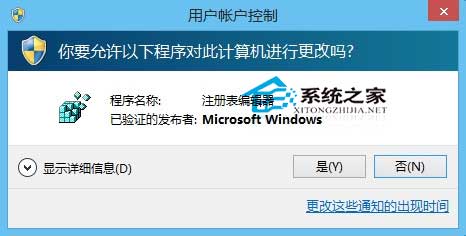
需修改 RPEnabled 卻在登錄檔找不到?自建 .reg 腳本匯入:
RPEnabled
RPEnabled.reg
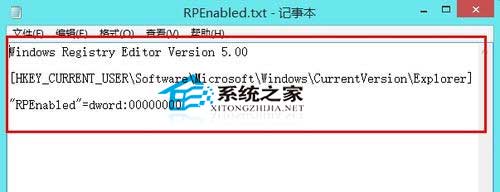
Windows Registry Editor Version 5.00
[HKEY_CURRENT_USER\Software\Microsoft\Windows\CurrentVersion\Explorer]
"RPEnabled"=dword:00000000
此法適用於任何缺失的登錄鍵值,依樣畫葫蘆即可補齊。
Win8 版掃雷正式上架:介面全面翻新、支援 Xbox Live 成就
Windows 8 開啟/關閉無線網路與藍牙:飛行模式設定頁
Win8 無法存取 WindowsApps 資料夾?取得完整權限完整圖文教學
Win8.1 應用商店報錯 0x80246007 無法安裝?IE11 暫存資料夾路徑修正法
Win8 桌面建立捷徑三大法:安裝路徑發送、新建捷徑精確指定、從開始畫面複製
Win8 應用商店無法開啟/連線失敗:netsh winhttp 導入 IE Proxy 修復法
Windows 8.1 更改螢幕解析度雙法:桌面右鍵 vs 現代化設定 App 完整圖解
Windows 8 必裝精品應用推薦:百度文庫、貼吧、我只在乎你、ALSee、鯊魚向前衝