Windows 原生複製大型檔案(影片、ISO、備份檔)速度較慢且易卡頓。FastCopy 為輕量級高速複製工具,特點:
- 完整支援拖曳操作、多檔案拖曳至來源清單。
- 支援殼層整合:右鍵選單直接「FastCopy 複製/移動」。
- 三種 HDD 模式(同磁碟/不同磁碟/SSD)自動優化讀寫策略。
- 內建多種人性化操作模式(同步、鏡像、僅差異等)。
- 支援萬用字元過濾、任務管理、命令列自動化。
- 極度精簡:安裝目錄檔案可直接複製至隨身碟攜帶使用,免安裝。
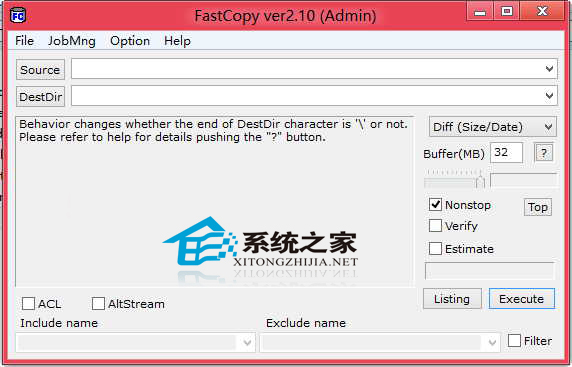
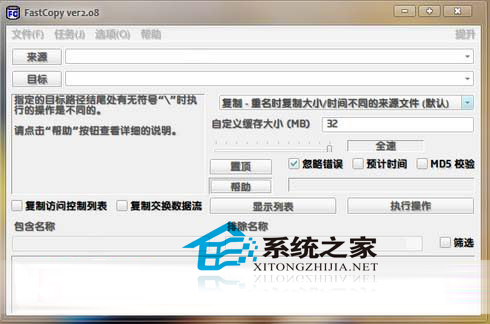
雖無官方中文版,但預設設定即適用大多數場景,參考漢化圖示即可上手。磁碟間、裝置間大量資料搬移,FastCopy 速度遠超原生複製,是系統維護必備工具。