Windows 8 IE10/IE11 預設啟用分頁瀏覽 (標籤頁)。習慣 IE6 單視窗模式的使用者可停用分頁功能,每個連結以新視窗開啟。
設定步驟
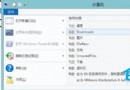
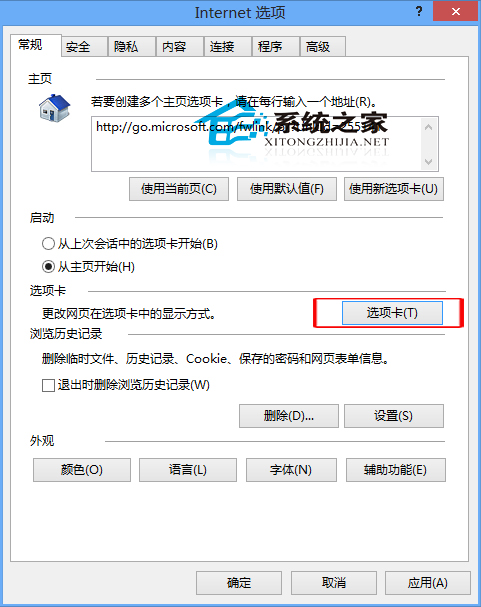
- IE 瀏覽器 → 齒輪圖示 → 「Internet 選項」
- 「一般」索引標籤 → 「索引標籤」區段 → 按「設定」
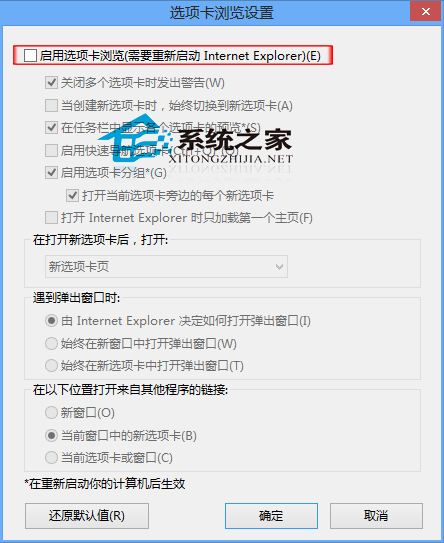
- 取消勾選「啟用索引標籤瀏覽」
- 按「確定」→ 重新啟動 IE 生效
行為變化
| 設定 | 連結開啟行為 |
|---|
| 啟用 (預設) | 新分頁/背景分頁 |
| 停用 | 新獨立視窗 |
注意事項
- 停用後無法使用分頁相關功能 (分頁群組、固定分頁、分頁預覽)
- 現代網頁設計假設分頁環境,單視窗模式可能體驗不佳
- 隨時可重新勾選恢復分頁瀏覽
- Edge/Chrome/Firefox 內建分頁不可停用