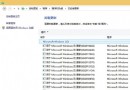
Windows 8 開啟防火牆報錯 0x80070437,主因「安全中心」 (Security Center) 與「Windows 防火牆」 (Firewall) 服務登入帳戶不一致。統一設為「本機服務」帳戶可修復。
修復步驟
- Win+X → R →
services.msc
- 找到 Security Center (安全中心) 與 Windows Firewall (Windows 防火牆) 兩項服務
- 分別右鍵 → 「內容」→ 「登入」索引標籤
- 選擇「這個帳戶」→ 輸入 本機服務 (非「本機帳戶」)
- 密碼欄留空 (本機服務無密碼)
- 「確定」→ 重新啟動兩項服務

原理解析
第三方優化工具/安全軟體可能修改服務登入帳戶導致不一致。Windows 服務間相互依賴需共用帳戶上下文,「本機服務」為標準系統服務帳戶。
驗證
- 控制台 → Windows 防火牆 → 應顯示「Windows 防火牆正在使用預設設定保護您的電腦」
- 可正常開啟/關閉防火牆、新增規則
注意
- 修改服務帳戶需系統管理員權限
- 修改後必須重新啟動服務生效
- 若問題持續,執行
sfc /scannow 修復系統檔案