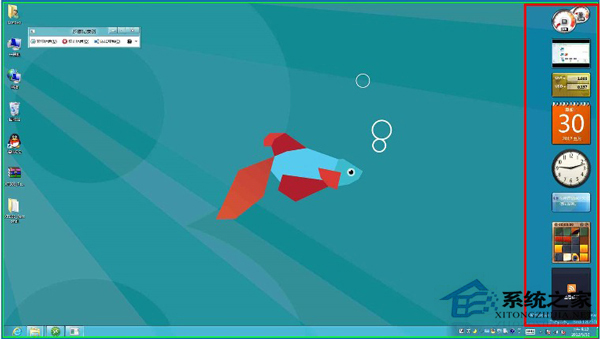
Windows 8 側邊欄可顯示小工具(如時鐘、行事曆、系統監控),但預設可能隱藏。本文教您啟用並管理桌面小工具。
設定完成後,將滑鼠移至螢幕右邊緣即可呼出側邊欄工具列。
Win8 Metro 版 IE10 變成桌面版?將 IE 設為預設瀏覽器即可恢復磚式介面
Windows 8 如何用 VHD + BitLocker 雙重加密建立私密磁碟分區?完整圖文教學
Win8 如何啟用乙太網路?重新安裝網卡驅動程式恢復連線
Win8.1 隱藏操作技巧三則:關閉 Modern 應用、關閉自動更新、快速找到新安裝應用
Windows 8 安裝方式利弊分析:覆蓋安裝、雙系統、虛擬機器
Win8.1 睡眠功能無法使用?乾淨啟動排查衝突 + 關閉快速啟動修復
Win8 任务栏语言栏不见了?开启“输入指示器”图标找回输入法切换
Win8 關閉「動作中心」彈出提示:四步驟停用通知干擾