Windows XP Windows 7 Windows 2003 Windows Vista Windows 綜合教學 Linux 系統教學
Windows 10 Windows 8 Windows 2008 Windows NT Windows Server 電腦軟體教學

Windows 8.1 必須卸載 KB3004394 更新,否則導致系統多功能異常

編輯:Win8 系統應用技巧

Microsoft 釋出的 KB3004394 更新存在嚴重缺陷,導致:服務無法啟動、第三方軟體安裝失敗、顯示卡驅動報錯、Windows Update 失效、Media Center 異常、Windows Defender 服務崩潰、系統檔案簽名失效(影響 mmc.exe、taskmgr.exe 等)。Microsoft 已撤回此更新並釋出修補補丁 KB3024777。

緊急處理步驟

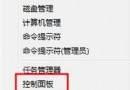
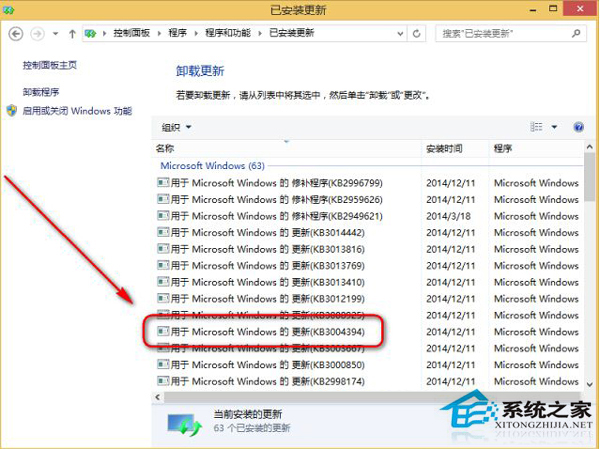
  1. 控制台 → Windows Update → 檢視已安裝的更新 → 找到 KB3004394 → 解除安裝。
  2. 下載安裝修補補丁 KB3024777:
    下載網址:https://support.microsoft.com/kb/3024777
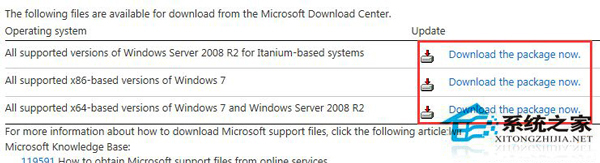
    依系統版本(x86/x64)選擇對應檔案安裝。
  3. 重新開機驗證系統功能恢復正常。

KB3004394 問題說明

KB3024777 下載頁面

此更新影響範圍極廣(Win7/Win8/Win8.1/Server 2008 R2),請儘速確認並移除,避免業務系統受影響。

Copyright © Windows教程網 All Rights Reserved