Win8 內建 IIS 8.0,安裝方式與 IIS 6 大同小異,透過「開啟或關閉 Windows 功能」即可輕鬆完成。
安裝步驟
- 控制台 → 程式和功能
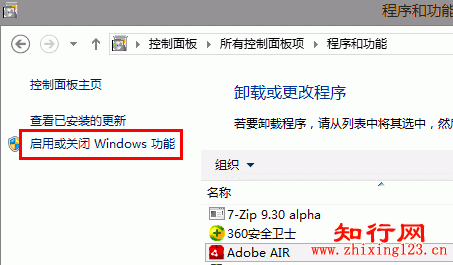
- 點選左側「開啟或關閉 Windows 功能」
- 展開「Internet Information Services」
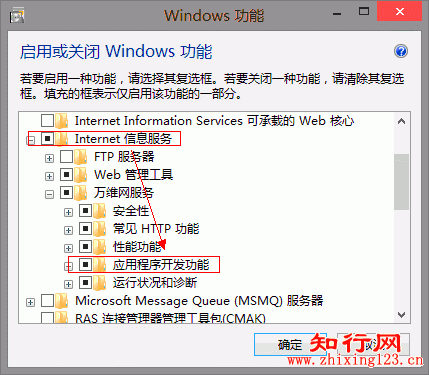
- 展開「Application Development」→ 勾選 ASP、Server-Side Includes 等所需模組
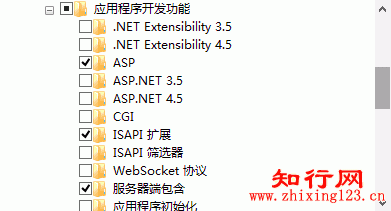
- 若需 .NET 支援,同步勾選對應版本
- 確定 → 等待安裝完成 → 重新開機
- 瀏覽器輸入
https://localhost/ 驗證 IIS 8 歡迎頁面
幾分鐘內即可建立本地 ASP/ASP.NET 開發測試環境。