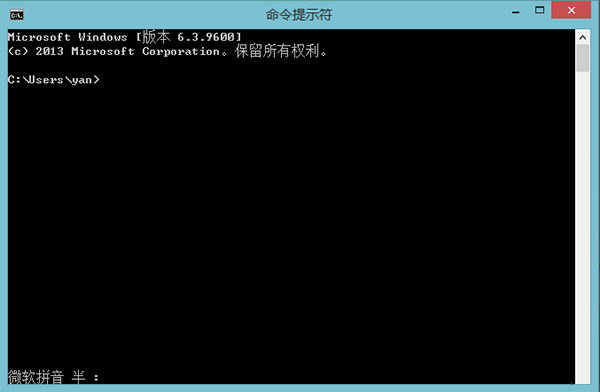
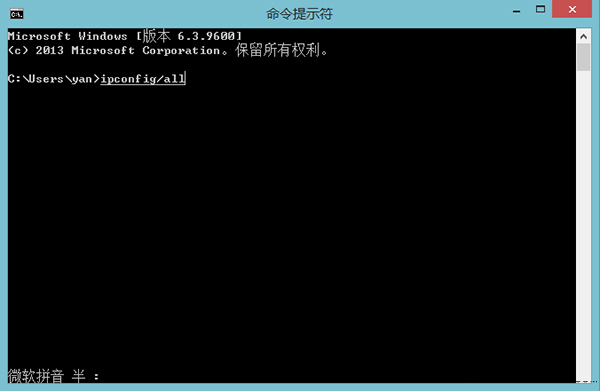
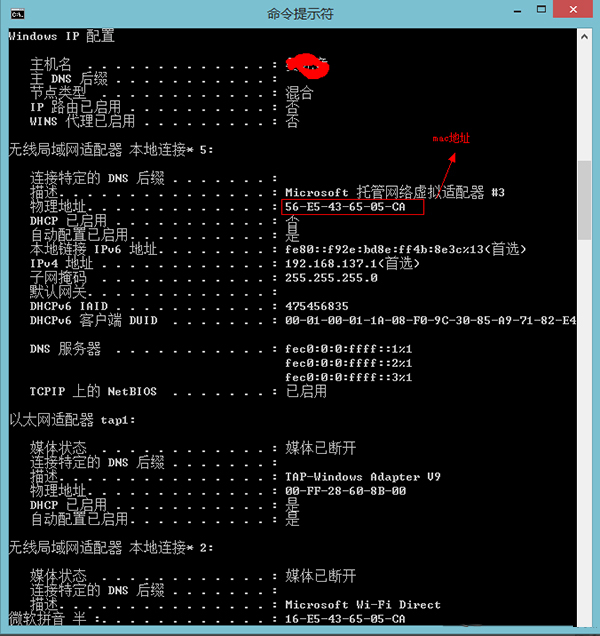
Windows 8.1 查看網卡 MAC 地址 (實體地址) 最快方法是使用命令提示字元指令 ipconfig /all。
ipconfig /all
00-1A-2B-3C-4D-5E
延伸應用:若需修改 MAC 地址 (MAC Spoofing),可參考裝置管理員網卡進階屬性「網路位址」或第三方工具。
Win8 桌面圖示左下角小黃鎖移除:桌面資料夾權限加入 Authenticated Users
Win8 顯示控制台所有項目:網址列下拉選單選擇「所有控制台項目」
Windows 8 乾淨開機:排除第三方啟動項診斷問題
Win8.1 系統映像備份完成後如何還原?進階啟動選單執行映像還原
Windows 8 使用搜尋方塊尋找檔案與應用程式的三種方法
Windows 8 被忽略的 7 個實用技巧:刪除確認、自動截圖、Hyper-V 共存、管理員執行、權限修改、Windows To Go、免密碼登入
Windows 8 實戰體驗筆記:安裝、破解、介面操作、資源管理器、IE10、工作管理器、關機、Metro 分畫面
Windows 8 關機十大招:從 Charms 列到快捷鍵、命令列全攻略