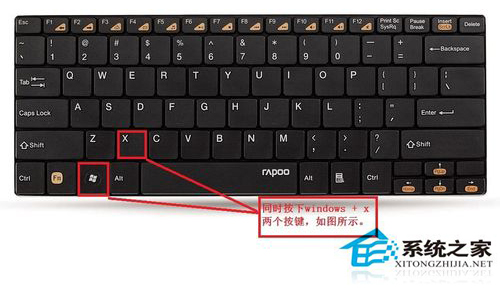
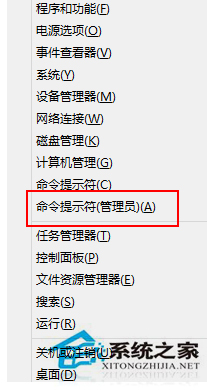
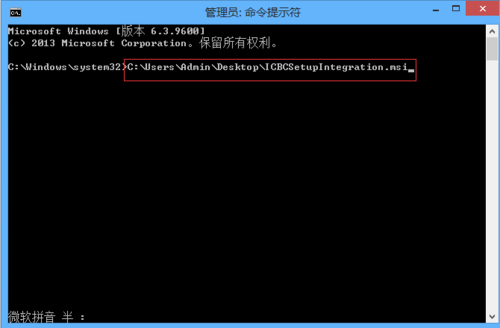
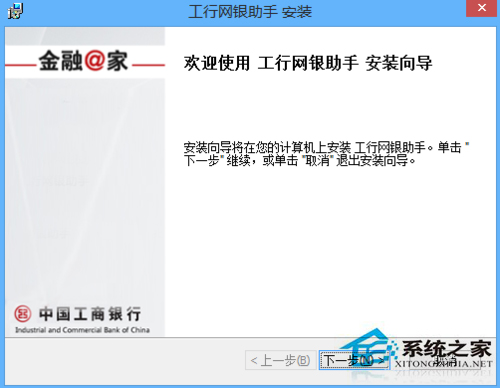
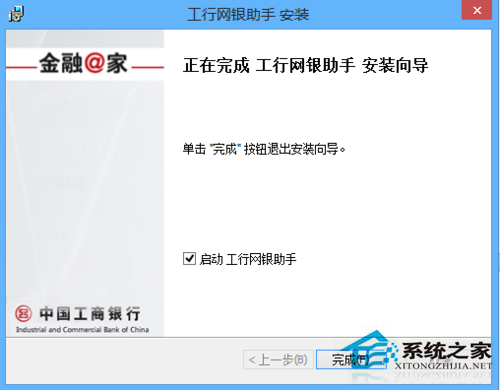
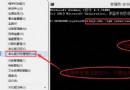
Windows 8.1 雙擊工行網銀助手安裝檔(.msi)報錯無法安裝。以系統管理員身分在命令提示字元執行 MSI 檔案可繞過權限限制完成安裝。
C:\Users\Admin\Desktop\ICBCSetupIntegration.msi
關鍵點:務必使用「系統管理員命令提示字元」,並確認輸入的 MSI 檔案路徑正確(可將檔案拖曳至命令視窗自動生成路徑)。
Windows 8 將照片加入圖片庫完整教學
Win8 Metro 版 IE 無法打開網頁:Netsh 重置網絡協議修復
Windows 8 你不知道的 16 個隱藏小技巧:熱區、關閉 App、一鍵 Metro、隱藏開始功能表、鎖定、解除安裝、快速關機、快速搜尋、磚塊整理、輸入法切換、工作切換、IE 啟動、自動登入、應用排序、我的電腦釘選、工作管理器變身
Windows 8 抗霧霾天氣應用程式推薦:墨跡天氣、天氣通、天氣幫幫忙、北京 PM2.5
Win8 任務欄輸入法圖標消失?通知區域圖標設置「輸入指示器」啟用 + 補充 Scm 資料夾修復法
Win8.1 修改 SkyDrive 預設儲存位置完整教學
Win8 重新命名 C 槽提示「無法修改名稱」 登錄建立預設標籤法
Windows 8.1 內建畫圖工具調整圖片尺寸完整教學