過去在 Windows 7 或更早版本中,若要讀取 ISO 光碟映像檔,必須安裝第三方虛擬光驅軟體(如 Daemon Tools、Virtual CloneDrive)。Windows 8 起內建 ISO 掛載功能,雙擊即可像真實光碟一樣存取內容,極大提升便利性。
操作步驟
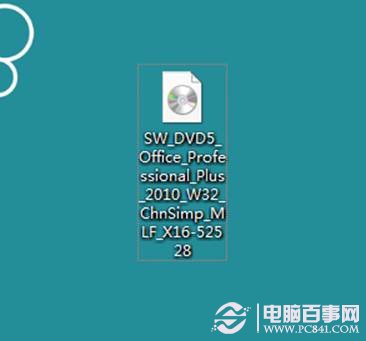
- 在檔案總管中找到
.iso 檔案。
- 對檔案按右鍵,選擇「掛載」,或直接雙擊檔案。
- 系統會自動建立一個虛擬光碟機代號(如
F:),出現在「這台電腦」中。
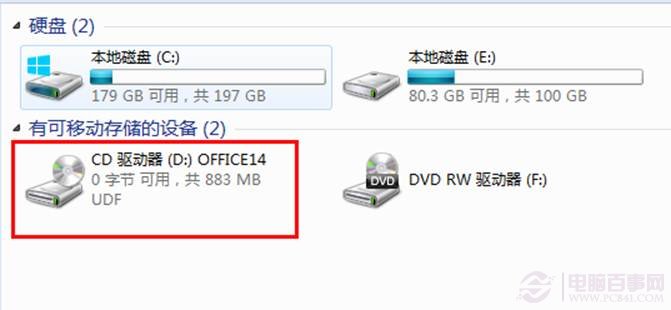
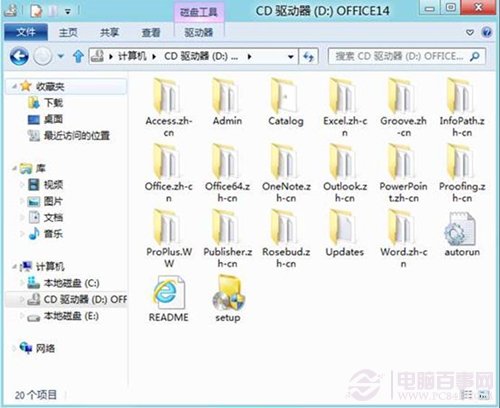
- 雙擊該虛擬光碟機即可瀏覽、執行 ISO 內的安裝程式或檔案。
- 使用完畢後,對虛擬光碟機按右鍵選擇「推出」即可卸載 ISO。
支援格式與限制
- 支援 .iso、.img、.vhd、.vhdx 格式。
- 若 ISO 檔案損毀或非標準格式,可能無法掛載,需改用第三方工具。