Win8.1 桌面預設僅有回收站,「這台電腦」(原我的電腦)需手動啟用顯示。

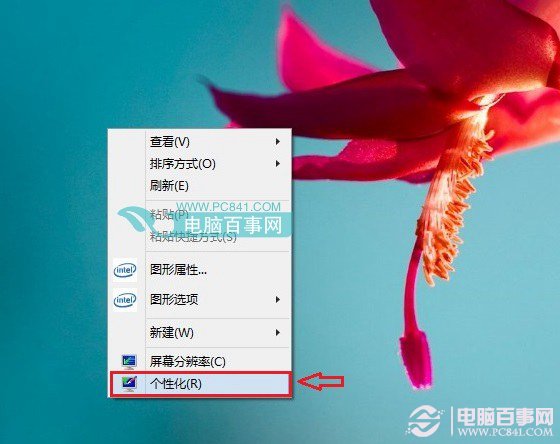
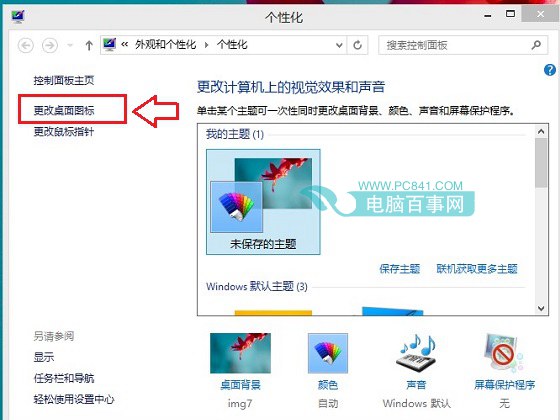
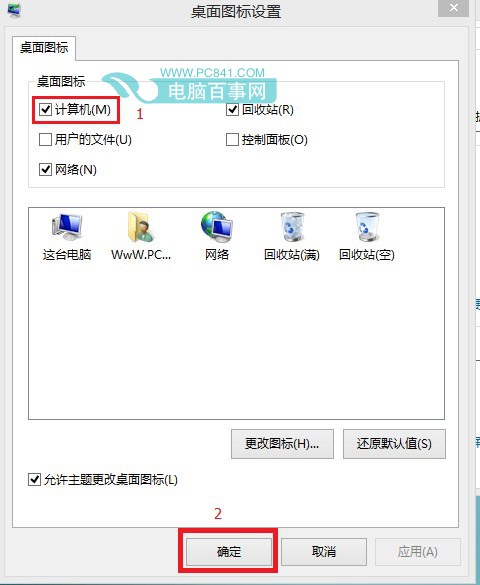
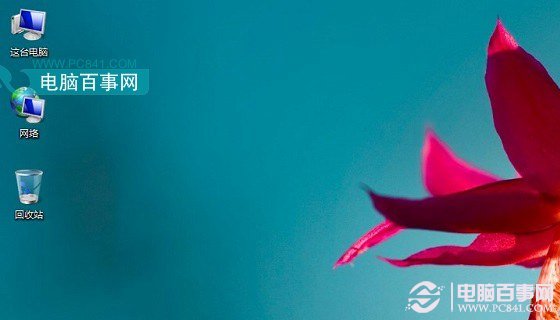
提示:Win8.1 將「我的電腦」更名為「這台電腦」,可自行右鍵重新命名為習慣名稱。
Windows 8 Beta 檔案管理新功能深度解析:衝突解決跳過相同檔、複製支援 SMB 多通道/暫停續傳、確認與中斷分離顯示、導覽窗格捲動修復、EXIF 方向自動識別
Win 8.1 新導覽屬性完整中文版圖解:直進桌面、開始按鈕、角導航、PowerShell 切換全在這
Windows 8 安裝全程圖解 (8/8):光碟安裝法 - 新硬碟分割區與選擇安裝磁碟
Windows 8 設定 PPPoE 撥號上網完整圖文步驟 (寬帶連線)
Windows 8 磁碟使用率 100% 狂飆?12 大解決方案徹底排查
Windows 8 應用商店安裝騰訊 QQ 完整流程:從社交分類到登入聊天圖文教學