Win 8/8.1 內建 Flash Player 整合於 IE,但常因外掛被停用、ActiveX 篩選攔截或版本過舊導致網頁提示「未安裝 Flash」。依序檢查三項設定即可解決多數情況。
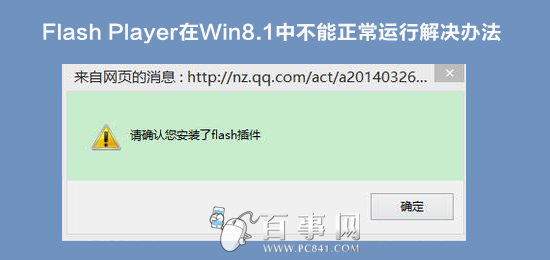
步驟一:啟用 Shockwave Flash Object
- IE → 工具 (齒輪) → 管理附加元件。
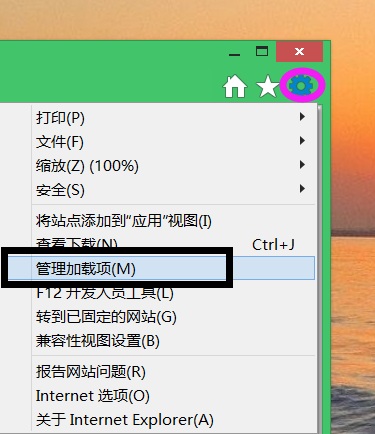
- 在「工具列與延伸模組」下找到 Shockwave Flash Object,右鍵選 啟用。
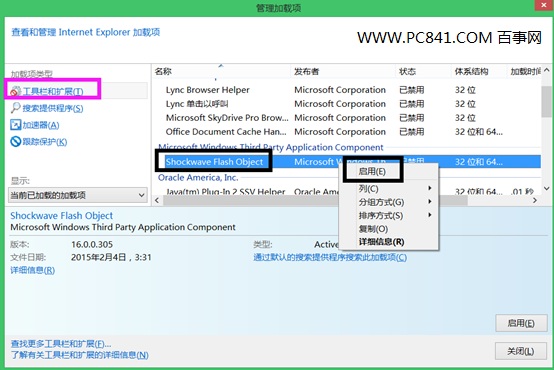
注意:若目前網頁無富媒體內容,清單可能不顯示此項;請先開啟含 Flash 的頁面再檢查。
步驟二:關閉 ActiveX 篩選
- 工具 → 安全性 → 取消勾選 ActiveX 篩選(前方不打勾即為關閉)。
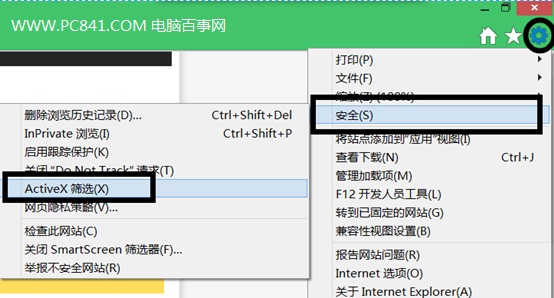
步驟三:取得最新版 Flash Player
- 前往 Adobe 官網下載最新安裝程式。
- 若安裝失敗,右鍵安裝檔 → 內容 → 相容性 → 勾選 以 Windows 7 相容模式執行。
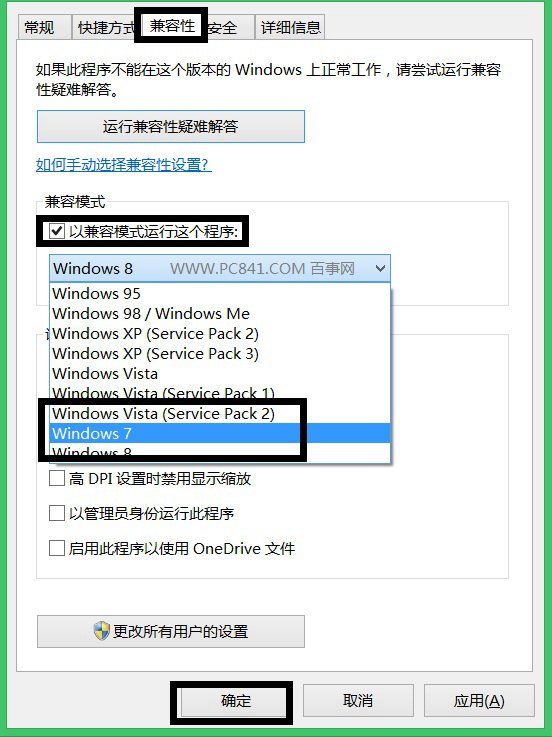
完成上述三步,IE 應能正常播放 Flash 內容。