Windows XP Windows 7 Windows 2003 Windows Vista Windows 綜合教學 Linux 系統教學
Windows 10 Windows 8 Windows 2008 Windows NT Windows Server 電腦軟體教學

Win8 應用商店無法開啟?兩大修復方案:DNS 變更與 netsh 重置

編輯:Windows 8 系統介紹

Windows 8 應用商店打不開通常是網路設定或快取異常。本文提供兩套經實測有效的修復方案:修改 DNS 至 Google 公共伺服器、使用 netsh 指令重置 WinHTTP Proxy 設定。

方案一:修改 DNS + 重置 WinHTTP + 關閉防火牆

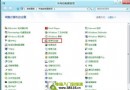
  1. 網路和共用中心 → 變更介面卡設定 → 區域連線 → IPv4 內容 → DNS 設為 8.8.8.8 與 8.8.4.4。
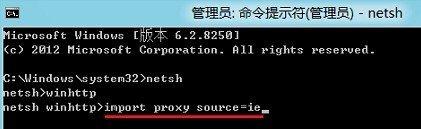
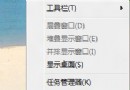
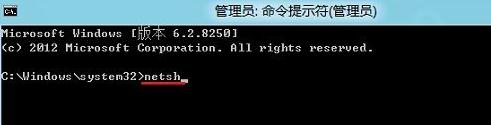
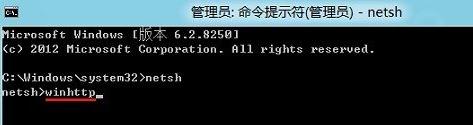
  2. Win+X → 命令提示字元 (系統管理員) → 依序輸入:
    netsh → winhttp → import proxy source=ie → 重開機。
  3. 暫時關閉 Windows 防火牆測試。
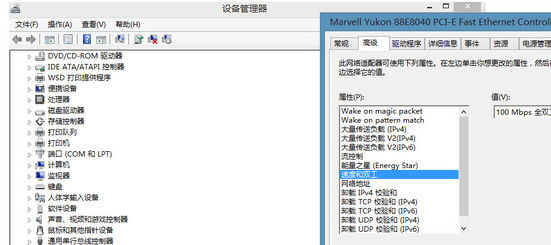
  4. 若仍無效,嘗試網卡進階設定中調整「速度與雙工模式」數值。

方案二:純 netsh 指令修復(較簡潔)

  1. Win+X → 命令提示字元 (系統管理員)。
  2. 依序輸入:
    netsh → winhttp → import proxy source=ie

兩套方案擇一嘗試,通常能解決應用商店無法連線、閃退、載入失敗等問題。

Copyright © Windows教程網 All Rights Reserved