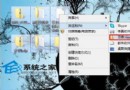
Windows 8 內建主題有限,許多用戶習慣下載第三方主題。系統預設主題位於 C:\Windows\Resources,桌面背景在 C:\Windows\Web,但自行安裝的主題檔案卻藏在臨時資料夾深處。以下是快速定位的方法:
1. 開啟暫存資料夾
按 Win+R 輸入 %temp% 按 Enter。
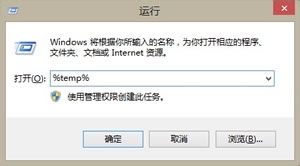
2. 進入 Local 資料夾
在開啟的 Temp 資料夾地址列點選「Local」,進入 Local 目錄。
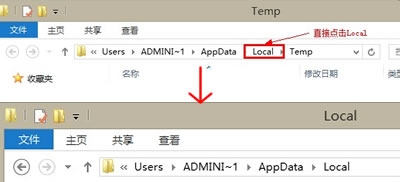
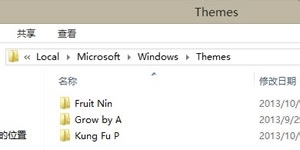
3. 找到 Themes 目錄
依序展開 Microsoft → Windows → Themes,此資料夾即存放所有自行安裝的主題檔案(.theme)與對應的桌面背景(DesktopBackground 子資料夾)。
現在您可以隨意備份喜歡的主題壁紙,或手動管理主題檔案了。