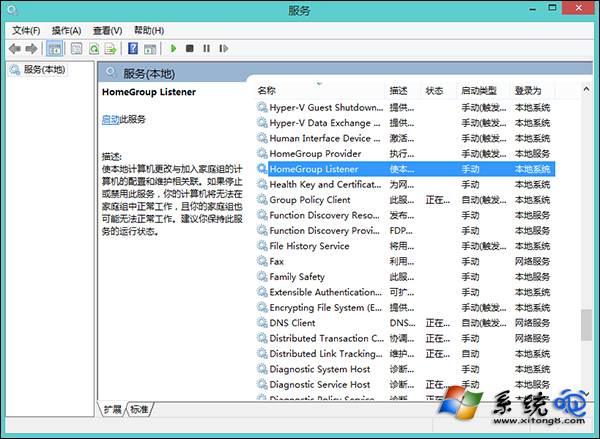
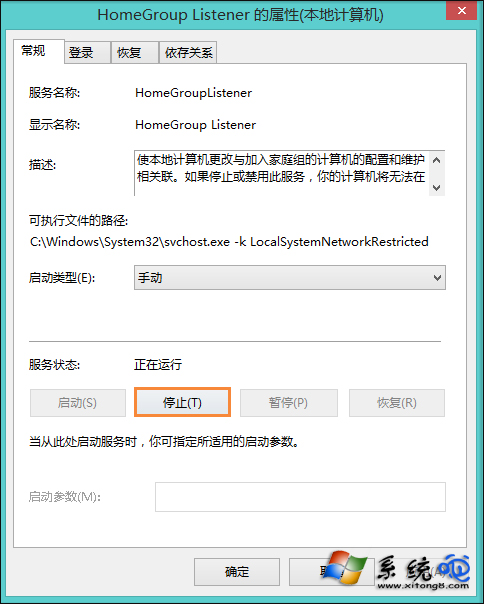
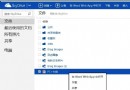
Windows 8 家庭群組功能若無法正常退出 (按鈕無反應、報錯),通常是 HomeGroup Listener 服務卡住。停用該服務後再嘗試退出,即可成功解散/離開家庭群組。
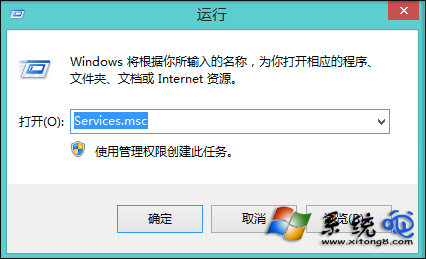
services.msc
若仍失敗,同樣停用 HomeGroup Provider 服務 (兩者為相依服務)。家庭群組在現代網路環境下實用性極低 (已被 OneDrive、近距離共用、SMB 取代),建議完全停用兩服務並關閉網路探索節省資源。
Windows 8 啟用數學輸入面板手寫公式功能
Win8 網路診斷工具完整教學:自動修復與進階日誌分析
Windows 8 行動寬頻解鎖與解除封鎖完整教學
Windows 8 Defender 程式檔案損毀?一鍵修復註冊表與系統檔案
Win8 如何還原已安裝的桌面小工具
Windows 8 最新測試版換裝新 Logo:四扇窗扁平化、傾斜透視呼應 Metro 風格
Win8.1 從 Microsoft 帳號切換為本地帳號:電腦設定「中斷連線」四步驟
Windows 8 輸入法設定圖文教學:新增英文、刪除中文、設定預設輸入法、自訂熱鍵