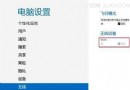
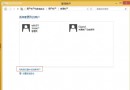
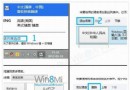
重新登入後控制台顯示帳號類型為「本地帳號」,不再同步設定至雲端,登入密碼為新設定的本地密碼。
Win8 讀卡器讀不到記憶卡?四大原因與對應解法
Windows 8 相容性深度解析:版本號陷阱、無頭伺服器、.NET 4.5、4K 磁區、未簽名核心驅動五大挑戰
Win8 多螢幕功能實測:雙螢幕獨立桌面、任務列同步與個性化桌布
Win8.1 關閉快速啟動並恢復 F8 進入安全模式
Windows 8.1 快速開關無線網路與藍牙:三種喚出飛行模式/無線設定的方法
Windows 8 設定免密碼自動登入(netplwiz 法)
Win8 內建 Xbox 應用程式:社交、成就、跨平台遊戲體驗全解析
Windows 8 磁碟使用率 100% 完整解決方案 12 招:4K 對齊、AHCI 驅動、HD Tune 檢測、優化排程、虛擬記憶體、資源管理器進程、Defender 排除、資源監視器、關閉家庭群組、停用 IPv6、Superfetch 延遲啟動、最終建議換 Win7