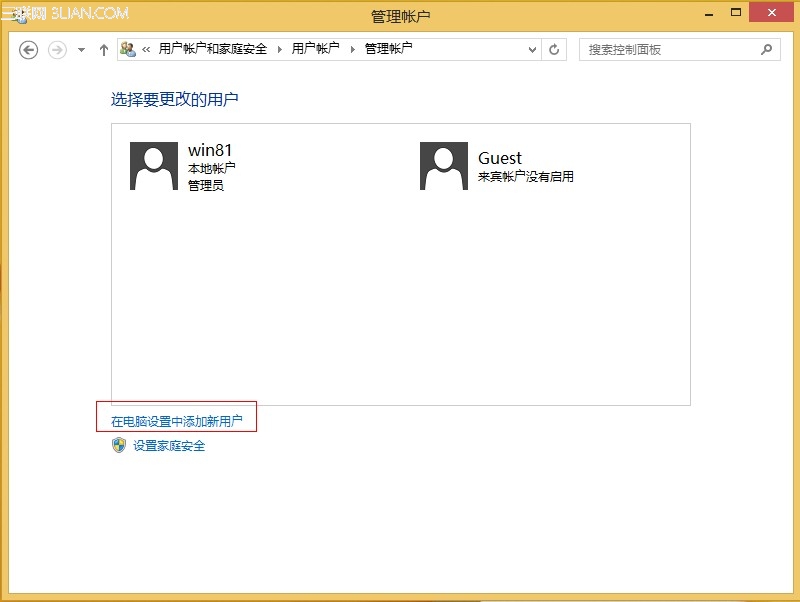
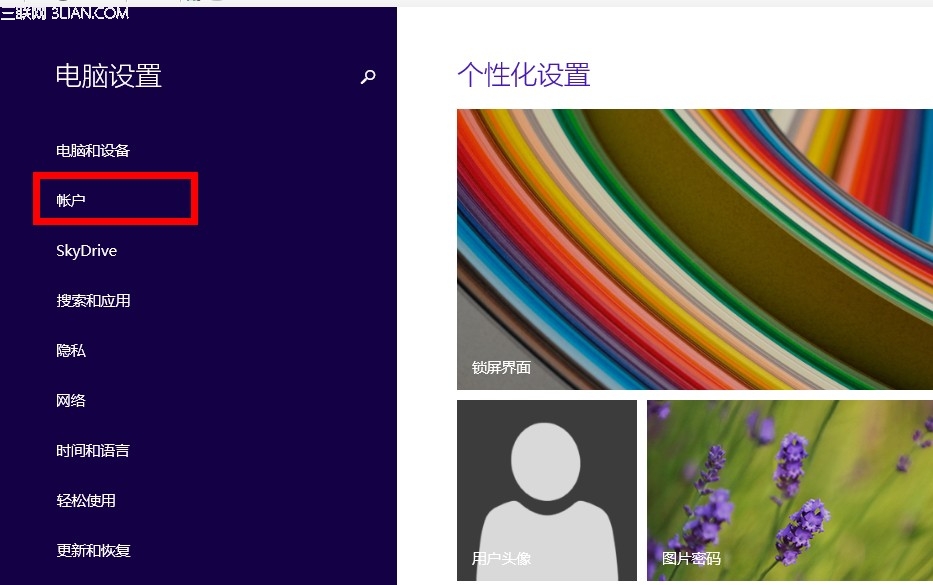
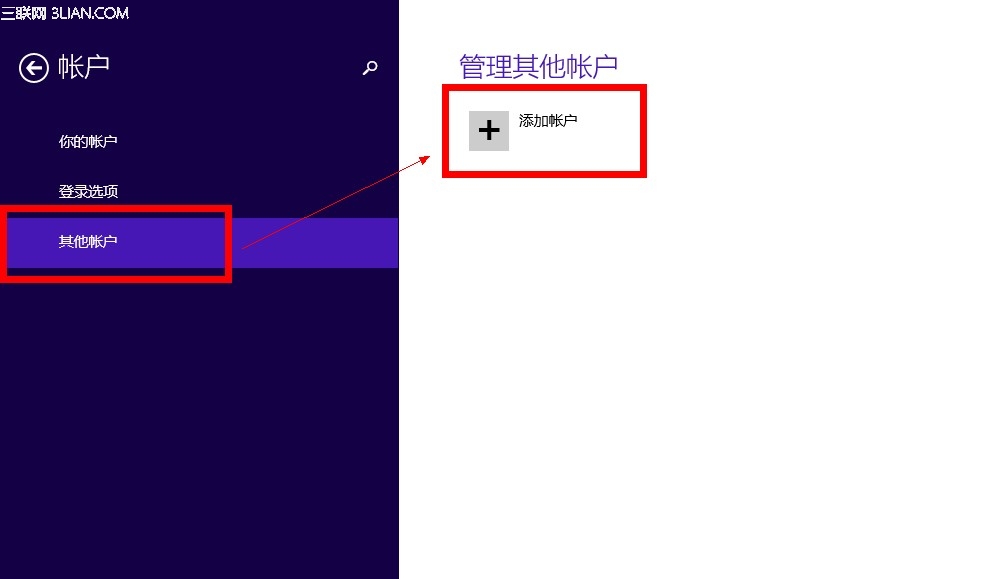
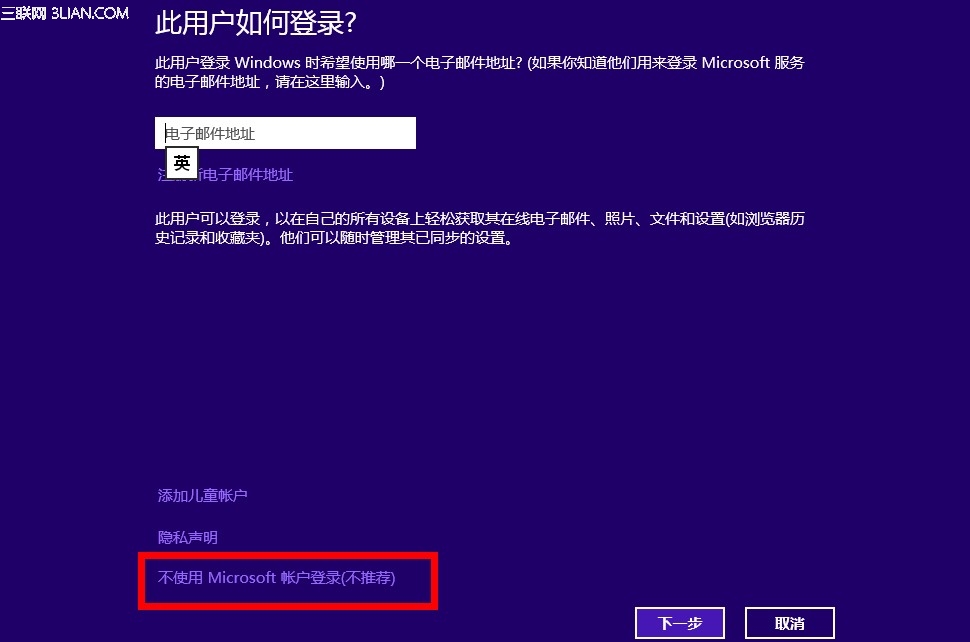
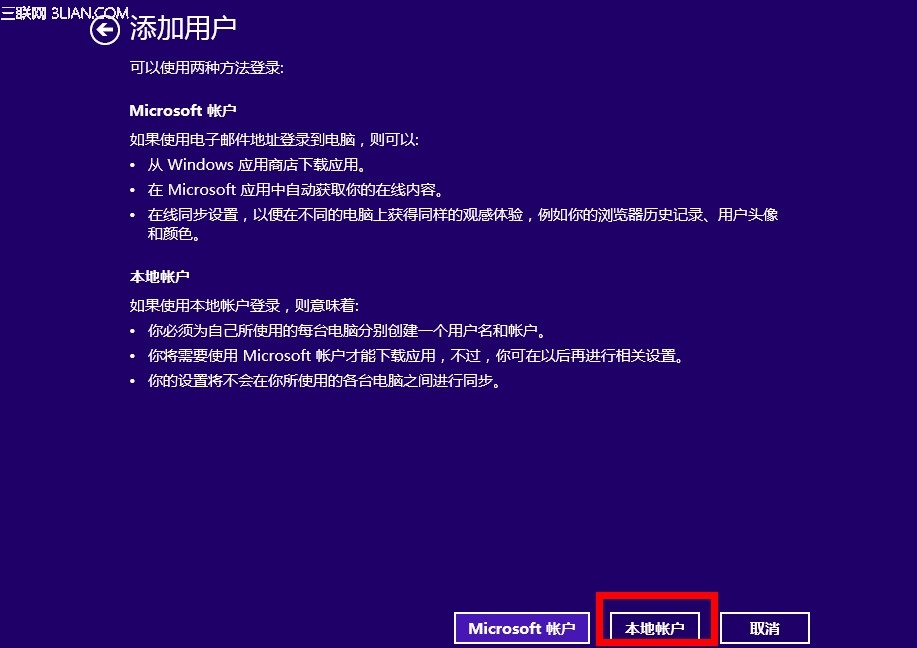
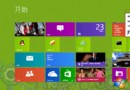
Windows 8.1 預設推薦使用 Microsoft 帳戶登入,但仍可建立傳統本機帳戶,不綁定雲端同步。
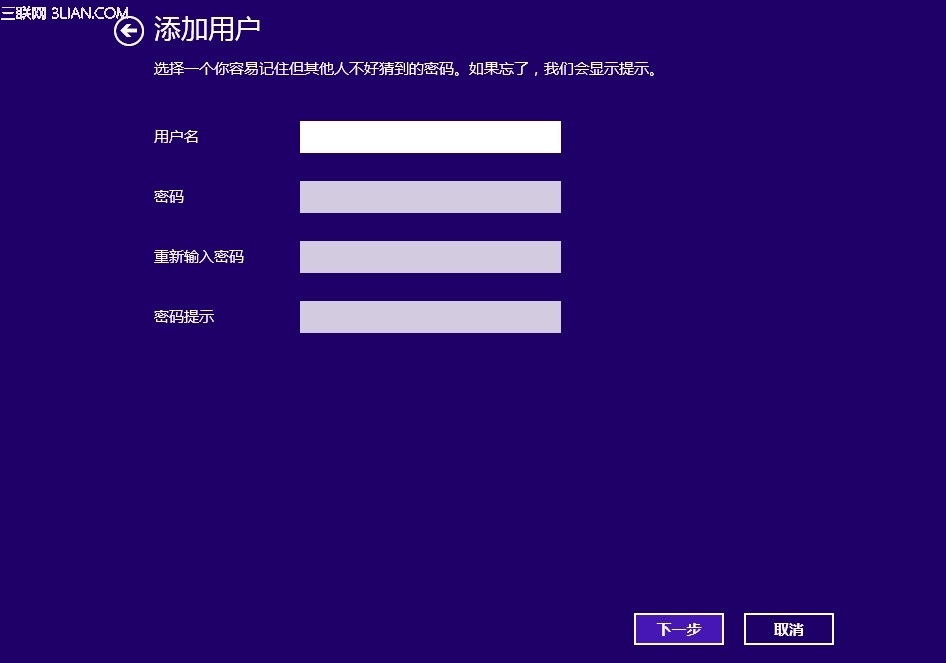
完成後即可使用本機帳戶登入,不會同步設定至雲端,適合不想綁定線上身分的用戶。
Win8 圖片密碼建立完整教學:手勢組合、觸控優化與傳統 PC 不建議使用說明
Win8 送給女生的實用軟體:美團團購、Woman Calendar、百度雲相簿、網易沖印、天氣通
Windows 7 升級 Windows 8.1 Update 完整圖文教學:升級助手相容性檢查、建立安裝媒體、個人化設定
Windows 8 / 8.1 缺少 mscomctl.ocx 解決方案:下載、註冊、32/64 位元路徑完整教學
Intel CPU 導致 Windows 8 死機/無回應:電源管理修復方案
Windows 8.1 設定開機自動撥號寬帶連線教學
Win8.1 玩單機遊戲頻繁藍屏?完整排查指南:超頻、驅動、記憶體、顯卡、病毒
Win8 任務管理器深度解析:七大分頁、簡易/詳細模式、七種啟動方式、資源監控全掌握