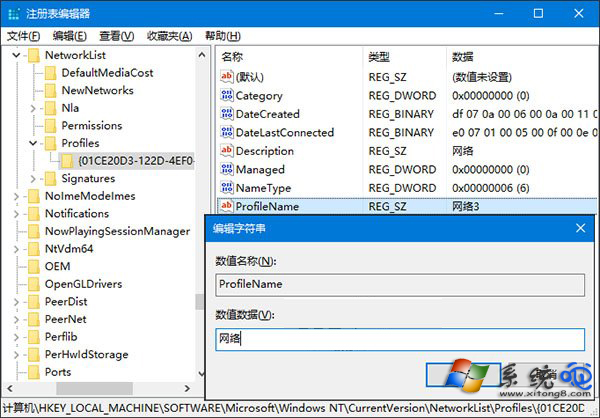
Win10 網路和共用中心不再顯示網路圖示供直接重命名/刪除,需修改登錄:Win + R → regedit → 定位 HKEY_LOCAL_MACHINE\SOFTWARE\Microsoft\Windows NT\CurrentVersion\NetworkList\Profiles\ → 每個子機碼代表一個網路記錄 → 右側 ProfileName 為顯示名稱 → 雙擊修改為想要名稱,或右鍵刪除整個子機碼移除遺留網路。操作前請先建立系統還原點。
regedit。...\\NetworkList\\Profiles\\。ProfileName 即為網路名稱。ProfileName → 輸入新名稱 →「確定」。explorer.exe 生效。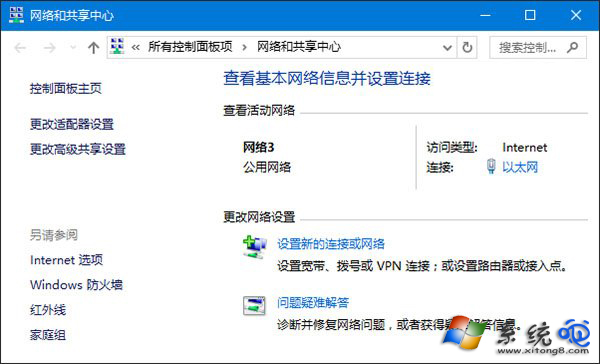
修改登錄有風險,操作前務必「建立還原點」 (控制台 → 復原 → 建立還原點),出錯可還原。網路名稱不影響實際連線功能,僅為顯示美觀。