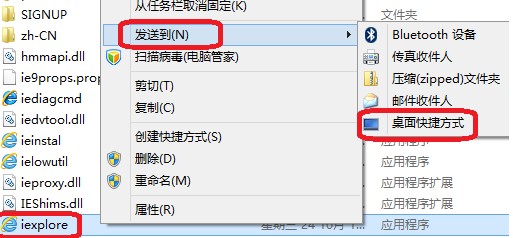
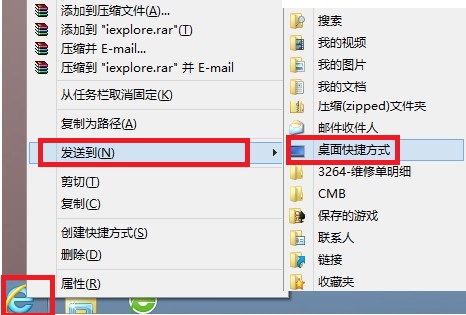
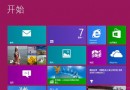
Windows 8 預設不在桌面顯示 Internet Explorer 10 圖示,若習慣從桌面啟動瀏覽器,可用以下兩種方式快速建立捷徑。
C:\Program Files\Internet Explorer
C:\Program Files (x86)\Internet Explorer
iexplore.exe
注意:直接右鍵工作列圖示不會出現「傳送到」選項,必須配合 Shift 鍵才能叫出完整內容功能表。
Windows 8.1 IE 停止運作解決方案:Internet 選項重置、重新安裝 IE10
Win8 電腦管理工具完整功能介紹與開啟方式
Win8 善用內建壓縮/解壓縮工具
Windows 8.1 快速清理系統垃圾:磁碟清理工具深度掃描、清理系統檔案、移除 Windows.old 釋放大量空間
Win8 檔案總管快速存取工具列怎麼顯示?標題列下拉勾選新增資料夾/刪除/內容/復原
Windows 8 正版授權方式完整解析:OEM、MOLP、FPP、ESD 差異比較
Windows 8.1 公用網路改為私人網路(專用網路)圖文教學
Windows 8 開啟代理軟體即藍屏?問題源於網卡驅動與代理軟體不相容