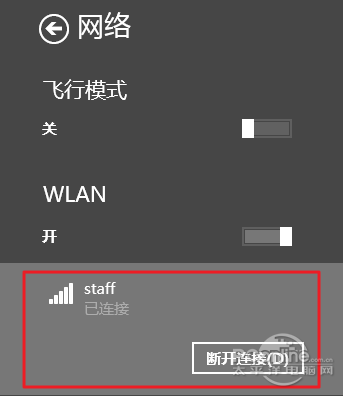
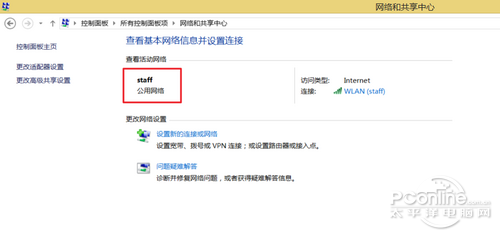
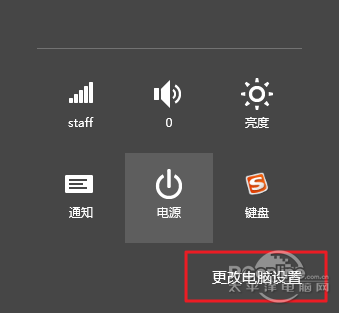
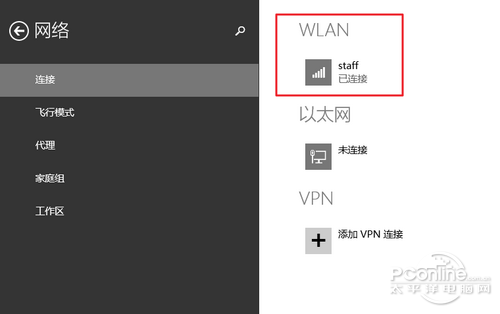
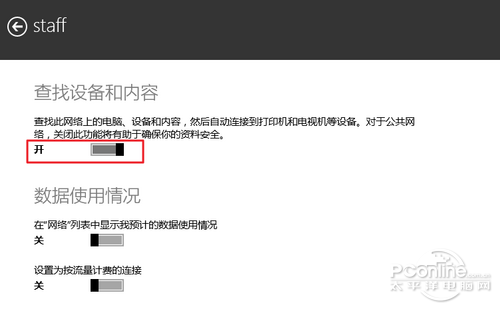
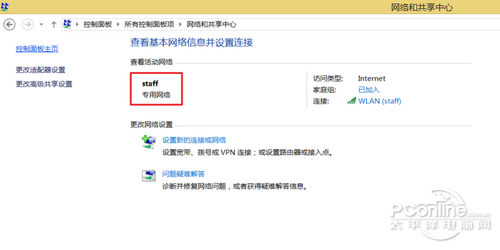
「公用網路」會關閉網路探索、檔案共用;「私人/專用網路」則開啟。Win8.1 介面調整,不再像 Win8 於網路面板直接切換,需透過「電腦設定」修改。

Windows 8 新 Logo 挨轟:設計界斥「品牌災難」
Windows 8 「檔案歷程記錄」:你的個人檔案時光機,完整備份與還原教學
Windows 8.1 開機直接進入傳統桌面:工作列屬性兩步設定
Win8 字體大小調整:個性化 → 顯示 → 僅更改文本大小(標題欄/菜單/消息框/圖標/工具提示全可調)
Windows 8/8.1 磁磚背景設定教學:Modern 介面個人化圖文步驟
Windows 8/8.1 刪除休眠檔案 hiberfil.sys 釋放 C 槽空間:CMD 一行指令與群組原則兩種方法
Win8 Metro IE10 操作技巧全攻略:網路設定、全螢幕瀏覽、地址列隱藏、分頁切換、前進後退、釘選網站、桌面版切換