Windows XP Windows 7 Windows 2003 Windows Vista Windows 綜合教學 Linux 系統教學
Windows 10 Windows 8 Windows 2008 Windows NT Windows Server 電腦軟體教學

Win8 開機跳過 Metro 直進桌面:註冊表修改 Shell 鍵值完整教學(含恢復方法)

編輯:Windows 8 系統介紹

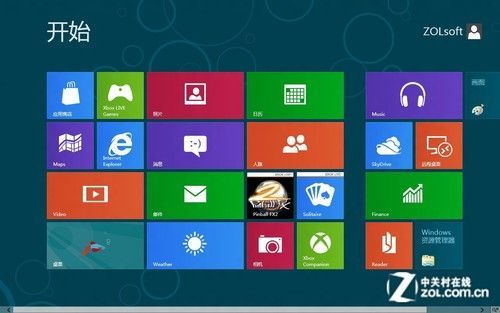
Windows 8 預設開機進入 Modern UI (Metro) 開始畫面,對以鍵鼠操作的傳統 PC 用戶而言,每次開機需額外點擊「桌面」磚塊才能進入工作環境。透過修改登錄檔 Shell 鍵值,可實現開機直接載入傳統桌面,同時保留喚出開始畫面的能力。

操作步驟

  1. 按 Win + R 開啟「執行」,輸入 regedit 並按 Enter。
  2. 依路徑展開:
    HKEY_LOCAL_MACHINE\SOFTWARE\Microsoft\Windows NT\CurrentVersion\Winlogon
  3. 右側找到 Shell 字串值,雙擊編輯。
  4. 預設值 explorer.exe 修改為:
    explorer.exe, explorer.exe
    (半形逗號加空白)
  5. 確定儲存,重新開機,即直接進入桌面。

恢復預設(開機進入 Metro 開始畫面)

同路徑將 Shell 值改回 explorer.exe 單一值,重開機即可恢復。

原理與影響

  • 雙重 explorer.exe 參數使 Winlogon 啟動兩個 Explorer 進程,第一個初始化桌面,第二個接管 UI,略過 Modern UI 載入流程。
  • 不影響 Modern UI 功能:Win 鍵、左下角熱區、觸控從右邊緣滑入仍可喚出開始畫面與 Charms 列。
  • 屬使用者級偏好設定,不涉及系統核心檔案修改,風險極低。

⚠️ 操作前建議匯出 Winlogon 分支備份,或建立系統還原點。

Copyright © Windows教程網 All Rights Reserved