檔案總管啟用快速鍵模式:
熟練後鍵盤操作效率遠超滑鼠,適合高頻檔案管理場景。
Windows 8 23 項新功能大盤點:儲存、連線、介面與平板優化
Win8 設定媒體串流功能完整教學
Win 8 如何將 IE 最愛固定在視窗左側?一鍵釘選最愛中心
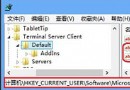
Windows 8 禁止產生本機檔案瀏覽歷程:登錄表權限法徹底封鎖 TypedPaths
Windows 8 反盜版新機制:雲端伺服器同步核心檔案、獨一無二產品金鑰
Win8 硬碟安裝圖文教學:NT6 HDD Installer 免光碟免 USB 部署系統
Win 8 修改本地磁碟名稱:三步驟自訂磁碟標籤方便識別
Windows 8 清理 Modern 應用釋放系統盤空間