情境說明
開始畫面 IE10 磚預設啟動 Modern 版,但習慣桌面操作或需使用 IE 增益集的用戶,希望強制以桌面版開啟。
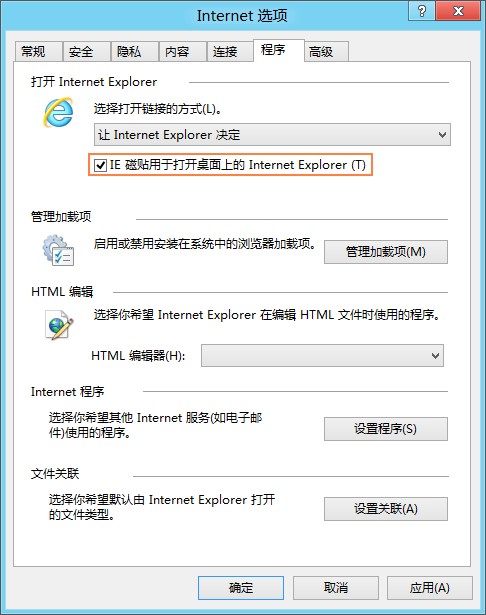
方法一:Internet 選項設定(單機用戶)
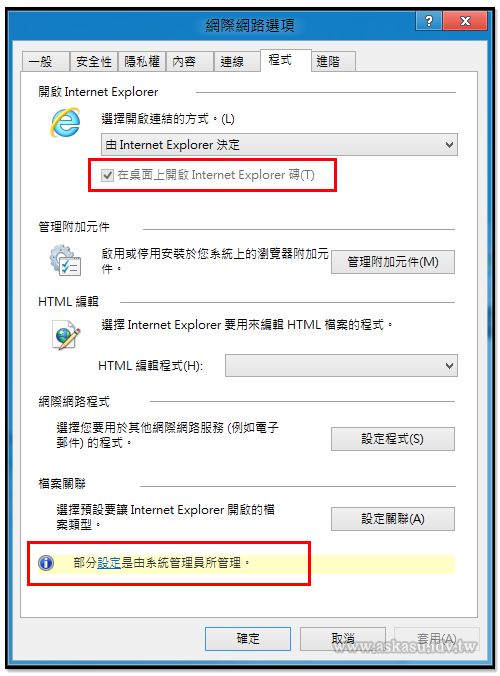
- 開啟桌面版 IE10 → 齒輪圖示 →「網際網路選項」。
- 「程式」索引標籤 → 勾選「IE 磚用於開啟桌面上的 Internet Explorer」。
方法二:群組原則(企業環境/多用戶)
- Win + R 輸入
gpedit.msc 開啟本機群組原則編輯器。
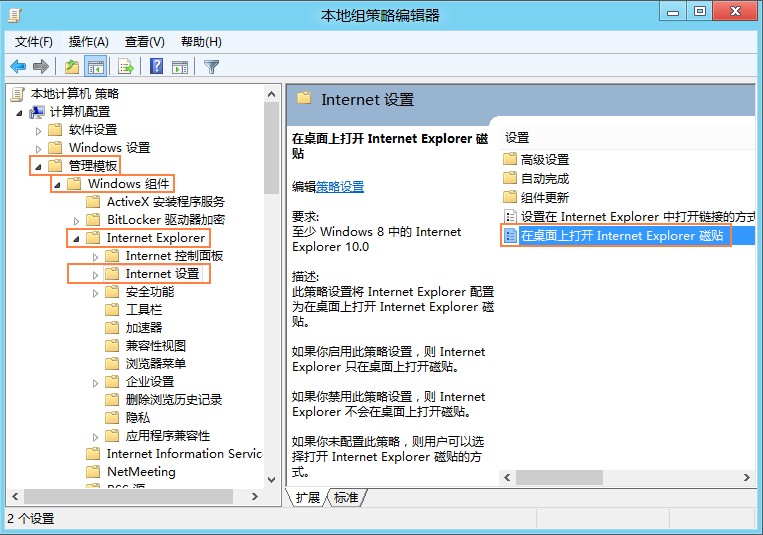
- 依序展開:電腦設定 → 系統管理範本 → Windows 元件 → Internet Explorer → 網際網路設定 →「在桌面上開啟 Internet Explorer 磚」。
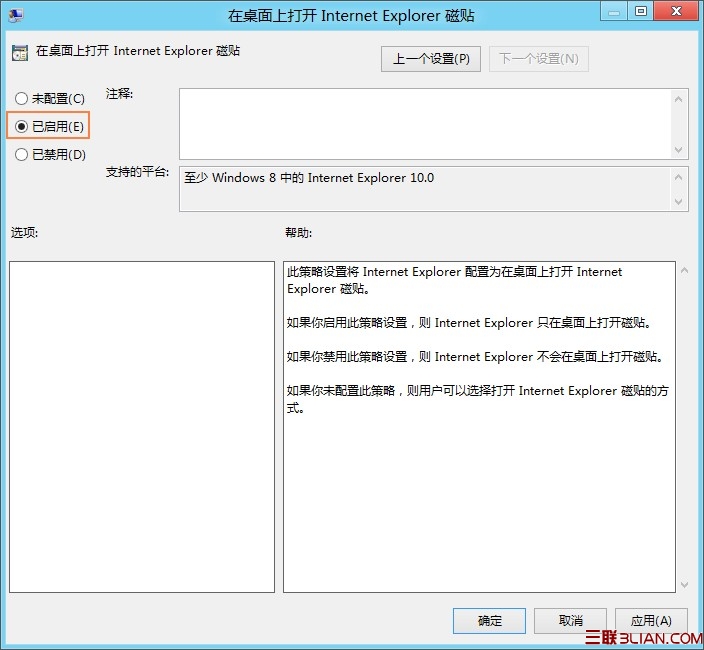
- 雙擊選擇「已啟用」 → 確定。此設定對所有使用者生效。
方法三:登錄修改(大量部署/非網域環境)
- Win + R 輸入
regedit。
- 瀏覽至:
HKEY_LOCAL_MACHINE\Software\Policies\Microsoft\Internet Explorer\Main
或
HKEY_CURRENT_USER\Software\Policies\Microsoft\Internet Explorer\Main
- 雙擊 ApplicationTileImmersiveActivation,數值資料設為 0(1 為 Modern 版)。
補充:Windows Server 2012 預設即為桌面版 IE10,無需額外設定。