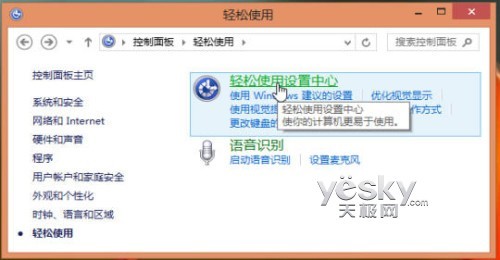
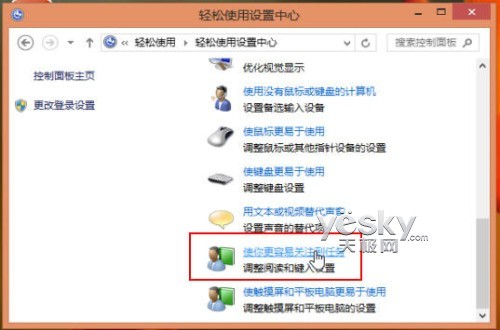
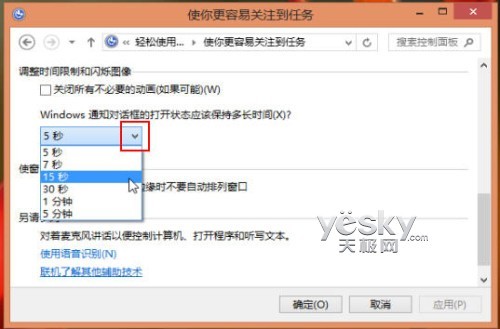
設定後,螢幕右上角通知彈出框將依新時間顯示,避免錯過重要訊息,適合需要較長閱讀時間的用戶。
細節見真章:Windows 8 Pre-Beta 版 IE10 與商店圖示微調
Win8.1 刪除 WiFi 連接記錄:netsh wlan delete profile 命令行法(同 17003)
Win8 有線網路報 651 錯誤?路由器網口對插 + IP 設自動獲取即可解決
Win8 如何找回經典開始選單?群組原則啟用「強制經典開始選單」
Windows 8 設定鎖定畫面通知:指定應用程式在鎖定狀態顯示快速狀態與詳細狀態
Windows 8 內建截圖工具新功能:Win+PrtScn 一鍵存圖片庫、四種截圖模式、開始畫面也能截