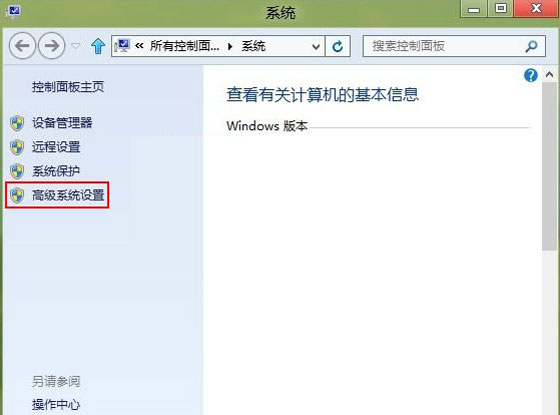
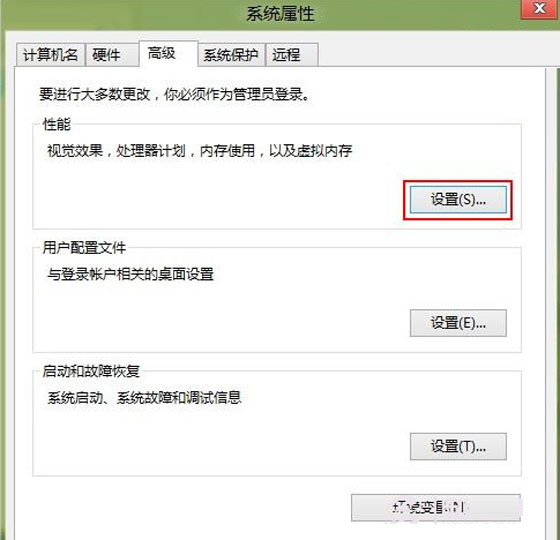
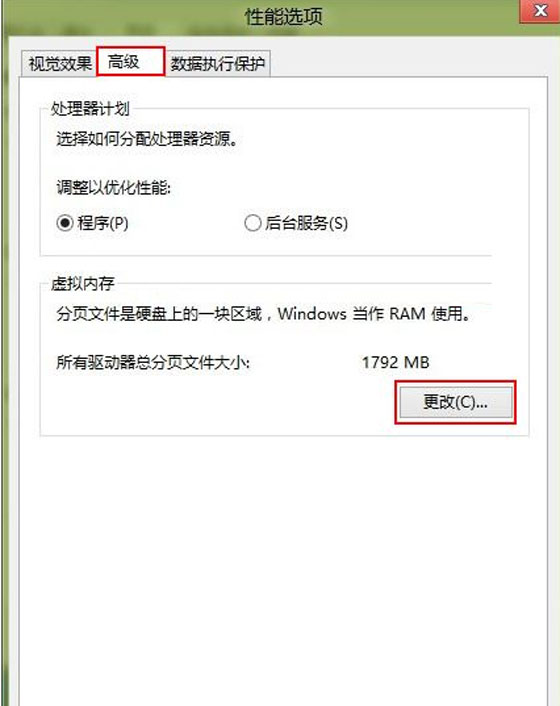
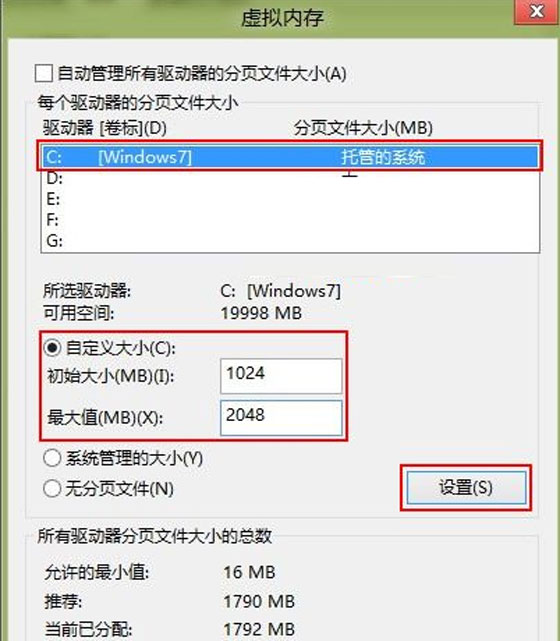
虛擬記憶體設定得當能加速系統,設定不當反拖慢效能。Win 8 設定虛擬記憶體步驟:
安裝大型軟體/遊戲常因記憶體不足卡頓,適當調大虛擬記憶體可緩解壓力,讓 Win 8 執行速度大幅提升!
Windows 8.1 正式版十大新特性體驗:開始按鈕、Metro 自由化、全域搜尋、IE11 WebGL、SkyDrive 整合、Xbox Music、多工手勢、DirectX 11.2、3D 列印、小尺寸支援
Windows 8 色彩校正精靈 18 步驟完整圖解:從 Gamma 到 ClearType 文字微調
Win8 圖片依解析度排序?檔案總管「詳細資料」欄位自訂技巧
Windows 8 四大操作技巧:熱區、一鍵 Metro、鎖定螢幕、關機方法
Win8.1 設定睡眠喚醒密碼,平衡安全與便利性
Windows 8 更新 KB2770917 失敗解決方案
Windows 8 內建反惡意軟體功能:新一代 Defender 提供啟動期防護
Win 8 開啟 RAR 檔案 安裝壓縮軟體並關聯即可