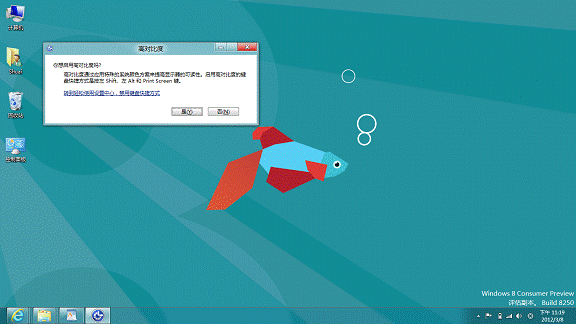
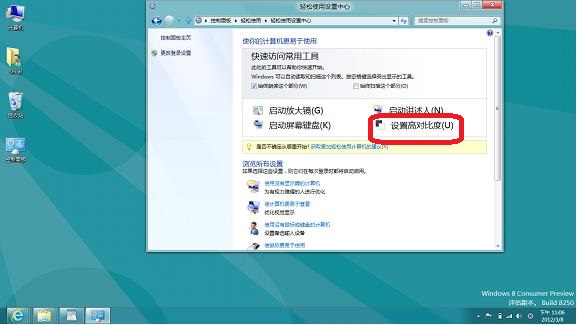
Win + U → 「設定高對比度」。
左 Alt + 左 Shift + PrtScn 切換開啟/關閉。
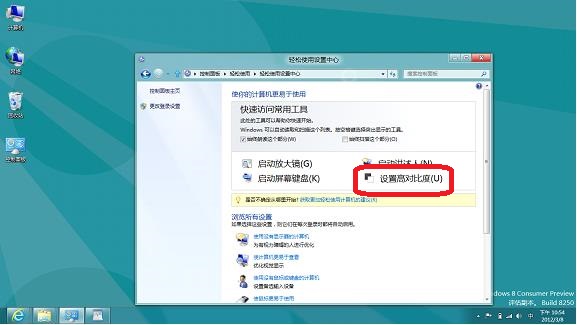
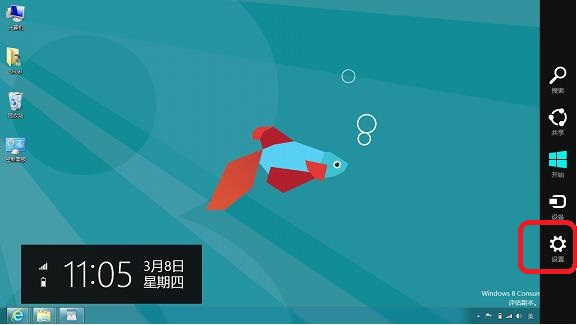
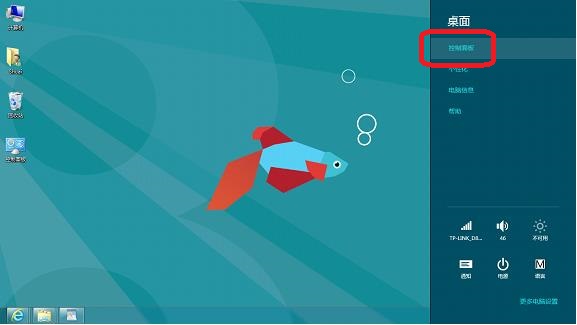
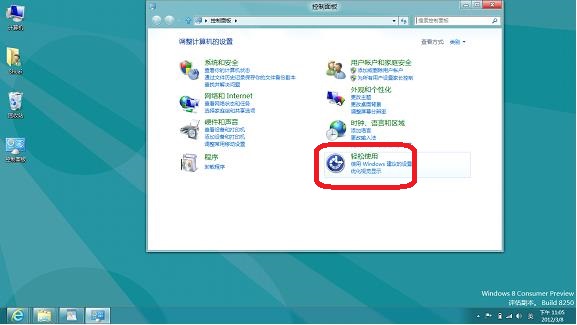
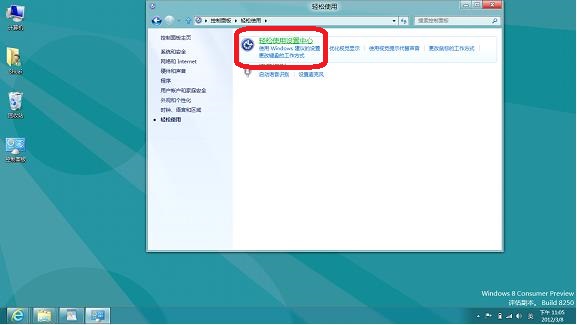
Charms → 設置 → 控制台 → 輕松使用 → 輕松使用中心 → 設定高對比度。
高對比度模式適合視力障礙用戶或強光環境下使用,系統內建多款主題可選。
Windows 8.1 無法啟用?修改 DNS 指向 Google 8.8.4.4 繞過驗證伺服器封鎖
Win8 向「視訊」程式庫新增影片資料夾教學
企業部署 Windows 8 應用策略:Windows Store 與側載兩大管道、LOB 內部應用、跨平台開發優勢
關於 Windows 8 你必須知道的十件事:平板介面、發布時程、自有品牌、規格與定位
Win8.1 桌面圖示全不見了?右鍵「檢視」→「顯示桌面圖示」一鍵恢復
Win8.1 未收到更新推送?手動安裝 KB2919355 完整教學
Windows 8.1 移除 SkyDrive/OneDrive 圖示並停用自動同步教學
Windows 8 快速移除 Metro 應用程式:右鍵一鍵解除安裝