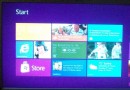
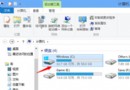
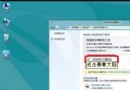
Windows 8 「視訊」應用程式讀取「視訊程式庫」內容。教您將自訂資料夾加入視訊程式庫,讓影片自動出現在 Modern UI 視訊應用中。
注意: 若影片儲存於外接硬碟/隨身碟,建議先複製/移動到程式庫包含的資料夾內,視訊應用才能穩定讀取。
Win8.1 升級後 IE11 無法啟動?登錄檔權限修復教學
Windows 8 開啟命令提示字元三大法:Win+C 搜尋、Win+R 執行、Win+X 進階選單
Win8.1 輕鬆玩轉內建 SkyDrive (OneDrive) 雲端硬碟:四大實戰操作技巧
Windows 8 建構更健康的儲存系統
Win8 Windows Update 錯誤 0x8DDD0007?修改登錄檔清除重開機標記修復
Win8.1 Update 提升 OneDrive 上傳速度:修改 global.ini 增加並行上傳執行緒至 3
Windows 8 系統建立虛擬熱點共享網路的完整設定教學
Win8 快速開機秘密:混合啟動 (Hybrid Boot) 原理與設定詳解