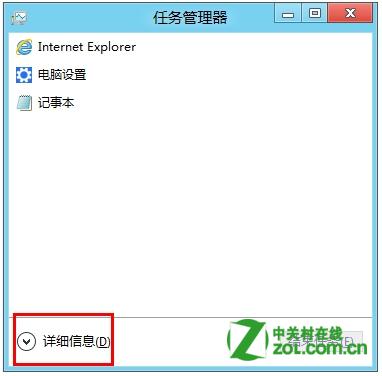
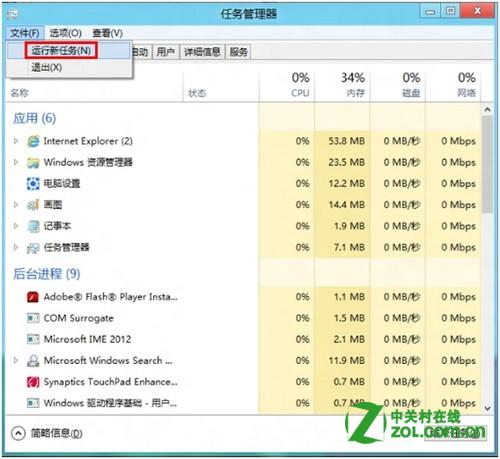
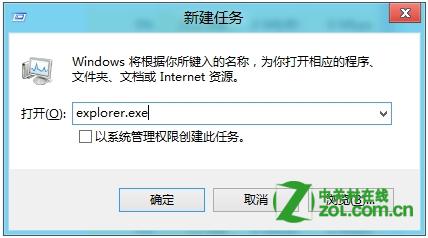
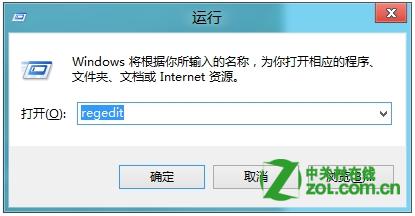
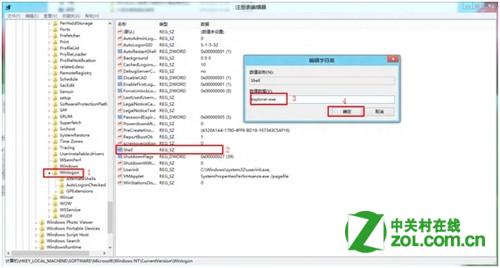
若 Windows 8 進入桌面發現只有黑色背景、缺少工作列與圖示,通常是檔案總管未正常啟動。請嘗試以下步驟恢復:
explorer.exe
若問題持續,請檢查系統檔案完整性:以管理員身分開啟命令提示字元,執行 sfc /scannow 修復。
sfc /scannow
Windows 8 鎖定畫面壁紙自訂完整教學:本機圖片、Bing 每日美圖一鍵同步、預設壁紙儲存位置
Win8.1 切換本地帳戶圖文教學:斷開 Microsoft 帳戶同步、建立本地使用者、登出完成
Windows 8 新功能再爆光:雲端同步、混合啟動、USB 開機、Ribbon、PDF 閱讀器
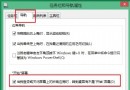
Win8 檔案總管啟用核取方塊:多選檔案更高效
Windows 8 分螢功能完整教學:Metro 應用與桌面並排多工操作指南
Win8 禁止自動更新驅動程式:避免遊戲/工作中卡頓
Win8 線上取得桌面小工具:隱私權聲明跳轉 Microsoft 圖庫下載
Windows 8 VHD + BitLocker 打造加密私人資料倉:無需第三方軟體的資料保護方案