Windows XP Windows 7 Windows 2003 Windows Vista Windows 綜合教學 Linux 系統教學
Windows 10 Windows 8 Windows 2008 Windows NT Windows Server 電腦軟體教學

Win8 網路遭 ARP 攻擊如何防護

編輯:Windows 8 系統介紹

Windows 8 手動綁定 ARP 防禦 ARP 欺騙攻擊

Win8 缺乏完美相容的 ARP 防火牆軟體,可透過指令或批次檔手動綁定 MAC-IP 對應,防止 ARP 廣播攻擊導致斷網/竊取流量。

方法一:CMD 手動指令

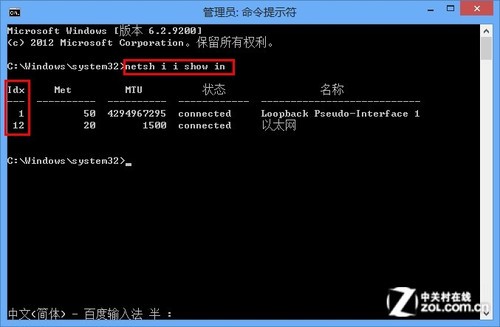
  1. 以系統管理員開啟 CMD。
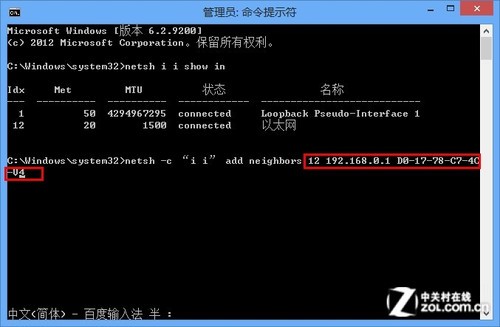
  2. netsh i i show in 查看目標網卡介面索引 (Idx)。
  3. netsh -c "i i" add neighbors Idx IP MAC 進行綁定。
    範例:netsh -c "i i" add neighbors 12 192.168.1.1 D0-27-88-C9-7C-A4
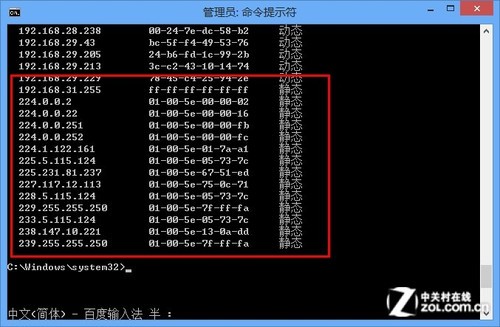
  4. arp -a 驗證列表中出現該靜態條目。
  5. 解除綁定:netsh -c "i i" delete neighbors Idx 後重開機。
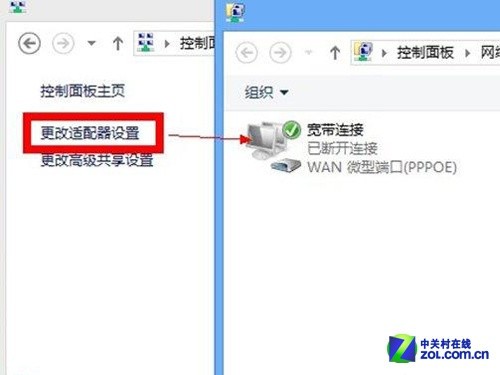
寬帶重新連線

管理員 CMD

ARP 綁定指令

arp -a 驗證靜態

方法二:批次檔 (.bat) 一鍵綁定/解除

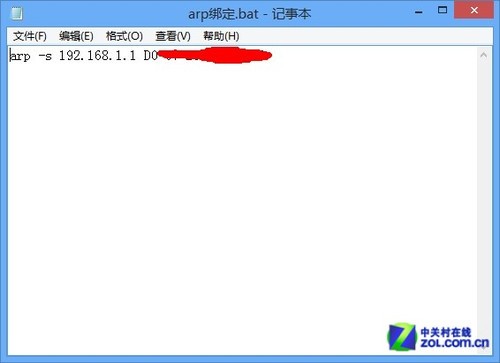
  1. 建立文字檔,內容:
    arp -a
    arp -s 閘道IP MAC地址
    範例:arp -s 192.168.1.1 D0-27-88-C9-7C-A4
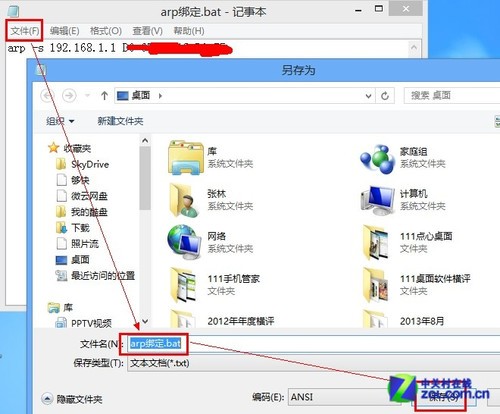
    另存為 arp_bind.bat。
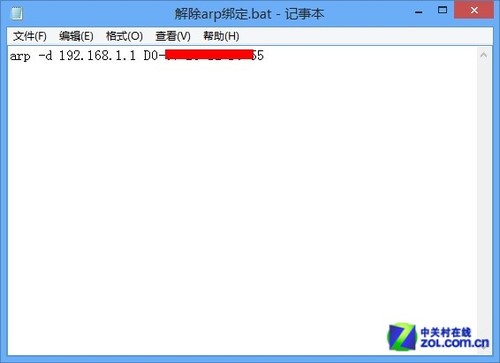
  2. 解除綁定檔:
    arp -d 閘道IP MAC地址
    另存為 arp_unbind.bat。
  3. 需執行時,右鍵 .bat 檔選「以系統管理員身分執行」,或放入啟動資料夾開機自動綁定。

記事本編輯 bat

另存為 bat

解除綁定 bat

完成的 bat 檔

提醒: 合租/共享網路環境請勿使用 P2P 終結者限制他人頻寬,手動綁定 ARP 為正當防禦手段。

Copyright © Windows教程網 All Rights Reserved