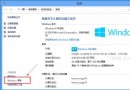
Windows 8.1 內建 IE11,其 User Agent 字串變更為 Mozilla/5.0 (Windows NT 6.3; WOW64; Trident/7.0; rv:11.0) like Gecko,移除「MSIE」關鍵字,導致許多網銀、舊版網站誤判為 Firefox 而拒絕服務或版面錯亂。
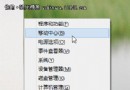
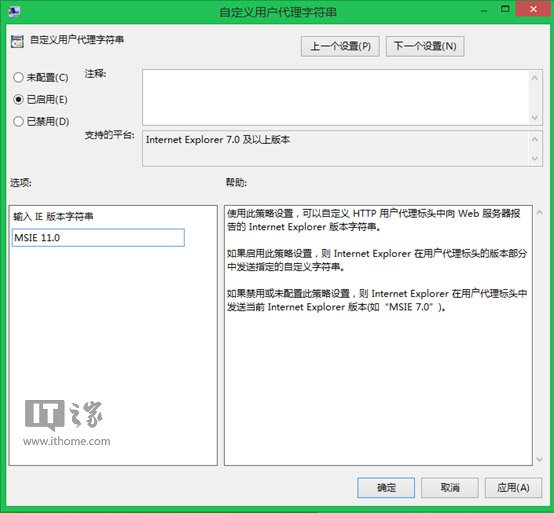
gpedit.msc 開啟「本機群組原則編輯器」。MSIE 11.0(或 MSIE 10.0、MSIE 9.0、MSIE 8.0)。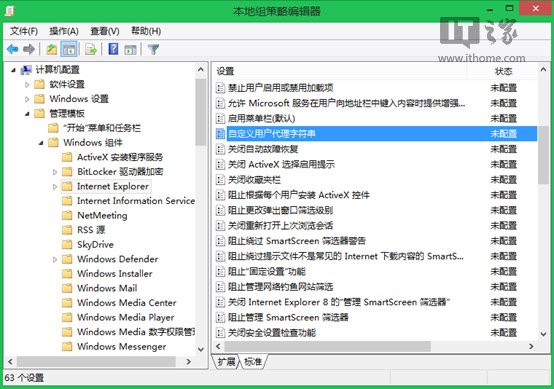
| 方法 | 優點 | 缺點 |
|---|---|---|
| 相容性檢視設定/加入網站清單 | 針對單一網站 | 逐站設定繁瑣 |
| F12 開發者工具暫時變更 UA | 即時測試 | 重開瀏覽器失效 |
| 群組原則修改 UA | 全域永久生效,一次設定所有網站受益 | 需 Pro/Enterprise 版支援群組原則 |
注意:Windows 家用版無 gpedit.msc,可嘗試註冊表修改 HKEY_LOCAL_MACHINE\SOFTWARE\Microsoft\Internet Explorer\Main\FeatureControl\FEATURE_BROWSER_EMULATION 達到類似效果。