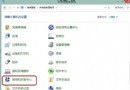
若暫不想升級 8.1,卻不想被反覆通知打擾,可透過群組原則或登錄檔關閉推播。
gpedit.msc。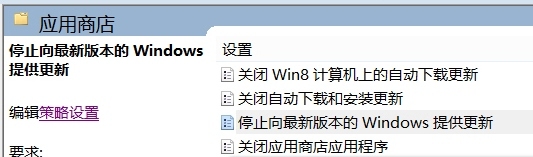
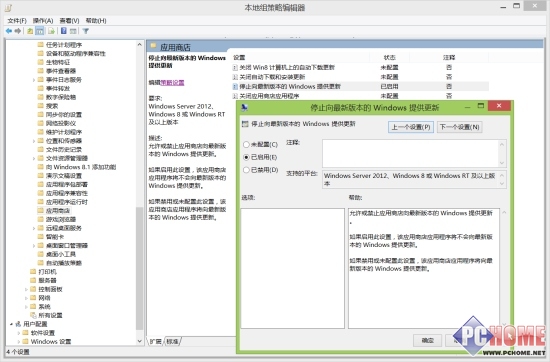
regedit。HKEY_LOCAL_MACHINE\SOFTWARE\Policies\Microsoft\WindowsStore (無則手動新增)。DisableOSUpgrade,值設為 1。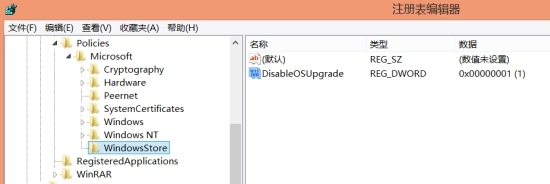
兩法擇一即可,群組原則介面較直覺,登錄檔適用家用版。想升級時逆向操作即可恢復通知。
企業部署 Windows 8 之道:相容性測試、虛擬化遷移與微軟支援體系
Windows 8 開啟內建相機應用:拍照、錄影、調整解析度完整教學
Win 8.1 Update 安裝失敗怎麼辦?錯誤代碼 80070020 解決方案
Win8 無法安裝 .NET Framework 3.5.1?使用 DISM 離線部署安裝源解決
應用商店找不到 Windows 8.1 更新?三大原因與對應解法
Windows 8 快速找到計算機:開始畫面「所有應用程式」三步驟定位
Windows 8 一鍵清除垃圾檔案:自製 BAT 批次檔清理暫存、快取、下載、Cookie、更新備份等
Windows 8 縮圖顯示錯亂/不顯示?兩種方法重建縮圖快取 (磁碟清理 / 手動刪除 thumbcache_*.db)