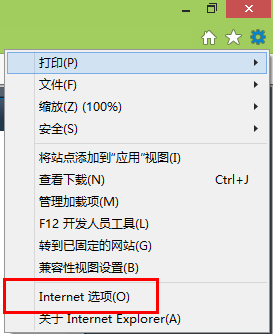
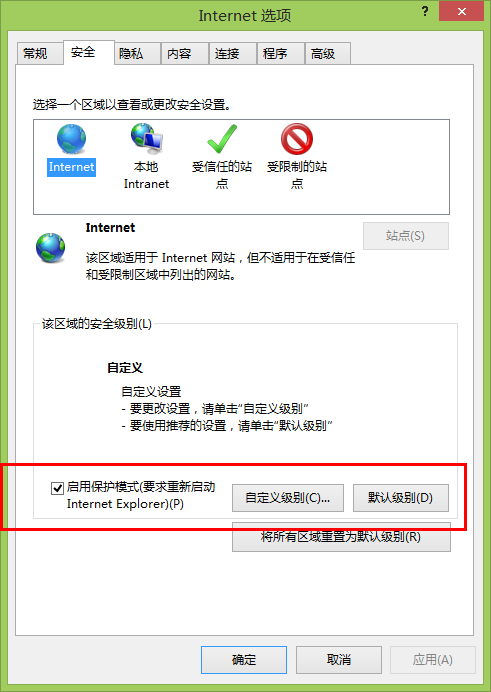
Windows 8.1 IE 11 預設啟用「增強保護模式」導致五筆、倉頡等第三方輸入法無法在網頁輸入框運作。
若關閉後仍無法使用,請確認輸入法版本對應系統位數 (32/64 位元)。
Windows 8 無線網卡搜尋不到訊號?三層開關逐項排查
IE10 安裝支付寶插件教學
Win8 同步設定到雲端怎麼刪?兩步驟徹底移除個人化資料
Windows 8 M2 Build 7955 隱藏功能解鎖:RedPill 工具啟用 Metro 登入、新工作管理員等
Windows 8 建立虛擬硬碟 (VHD/VHDX) 掛載使用:深層資料夾也能變磁碟機
關閉 Windows 8.1 幫助提示 (Help Sticker) 註冊表修改法
Windows 8 支援設定雲端同步與混合開機:20 秒完成啟動
Windows 8.1 五步驟建立本地搜尋快捷方式:%windir%\explorer.exe search-ms: 一鍵啟動強大搜尋