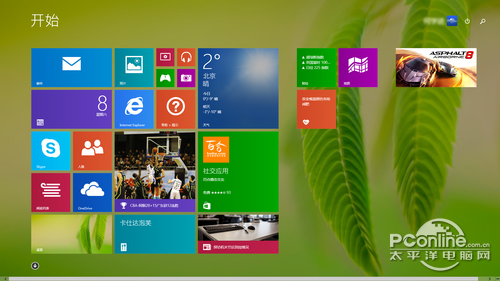
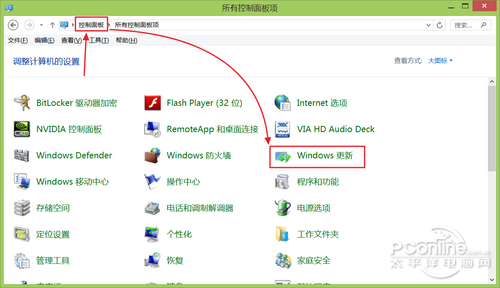
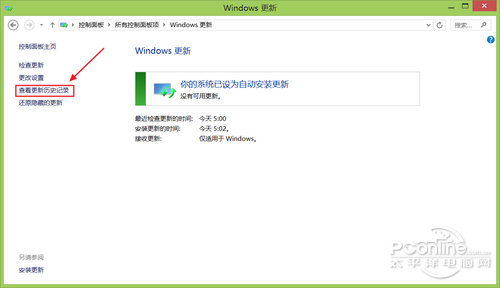
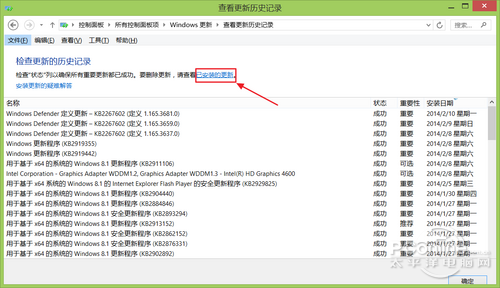
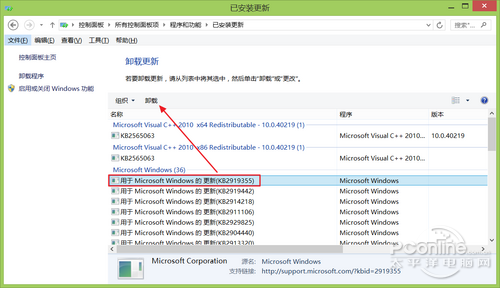
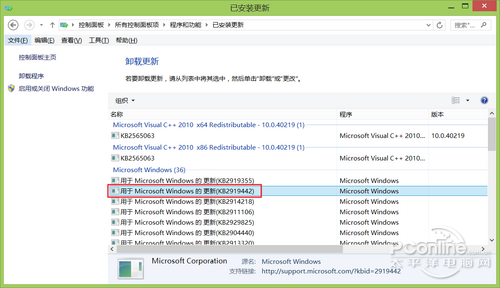
安裝 Windows 8.1 Update (RTM) 後若想回退,僅需移除兩個更新套件:KB2919355 與 KB2919442。實測 KB2919355 可正常解除安裝,KB2919442 可能顯示無法解除,仍可嘗試強制移除或接受保留。
KB2919355
KB2919442
Win8 設定 VPN 連線完整教學:建立 PPTP/L2TP 連線與常見問題排除
Windows 8 隱藏功能大公開:11 個提升效率的實用技巧
Win8 ADSL 撥號閒置自動斷線?關閉「閒置時間」設定保持常駐連線
Windows 8 內建畫圖工具為照片添加文字教學
Win8.1 Update 80073712 錯誤代碼解決方法:微軟官方補丁與疑難排解工具
Windows 8 開啟小範圍測試:OEM 廠商獲邀下載 Build 7971
Windows 8 快捷鍵大全:鍵盤、滑鼠、觸控三模式完整速查表
Windows 8 影音播放器推薦:愛奇藝、PPTV、優酷高清客戶端横向評測