Windows XP Windows 7 Windows 2003 Windows Vista Windows 綜合教學 Linux 系統教學
Windows 10 Windows 8 Windows 2008 Windows NT Windows Server 電腦軟體教學

Windows 8.1 Update 1 UI 變革:非觸控裝置預設啟動到桌面、開始畫面加入電源/搜尋鈕、Modern 應用標題列

編輯:Windows 8 系統介紹

Windows 8.1 Update 1(測試階段)針對非觸控裝置大幅調整 UI,主要變化如下:

1. 非觸控裝置預設「啟動到桌面」

觸控裝置仍預設啟動至開始畫面;桌機/筆電直接進入傳統桌面。

2. 開始畫面更友善滑鼠鍵盤操作
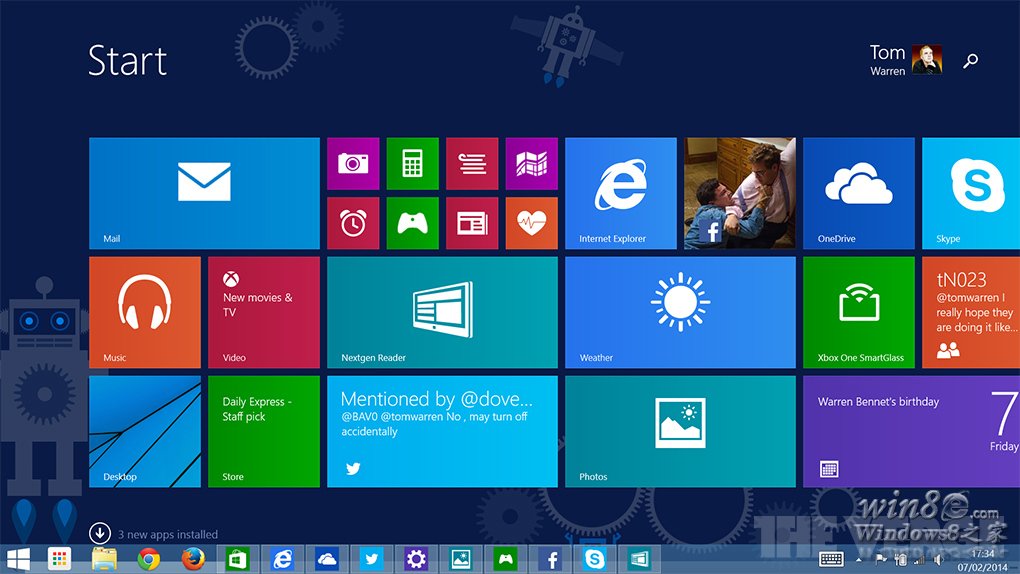
開始畫面 UI

  • 右上角新增「電源」與「搜尋」按鈕(觸控裝置不顯示電源鈕,疑為 Bug)。

3. Modern 應用頂部標題列
Modern 應用標題列

  • 含最小化、關閉鈕,滑鼠單擊即可操作(觸控裝置預設隱藏)。

4. 磁磚右鍵選單功能增強

  • 右鍵磁磚可「調整大小」、「取消釘選」等,操作更直覺。

這些變化回應非觸控用戶長久呼聲,正式版釋出時將自動套用至符合條件裝置。

Copyright © Windows教程網 All Rights Reserved