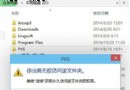
Windows 8.1 Update(4月補丁推送)大量使用者遇到錯誤代碼0x80070002、0x80070003(檔案遺失/系統找不到指定路徑)。微軟釋出專用修復補丁KB2919355(約2.3MB/2.6MB)升級Windows疑難排解工具,支援自動修復此類更新錯誤。
修復流程
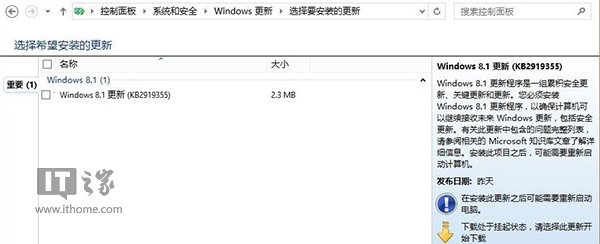
- 開啟「控制台」 → 「系統與安全性」 → 「Windows Update」 → 手動檢查並安裝 KB2919355修復補丁。
- 安裝完成後重開機。
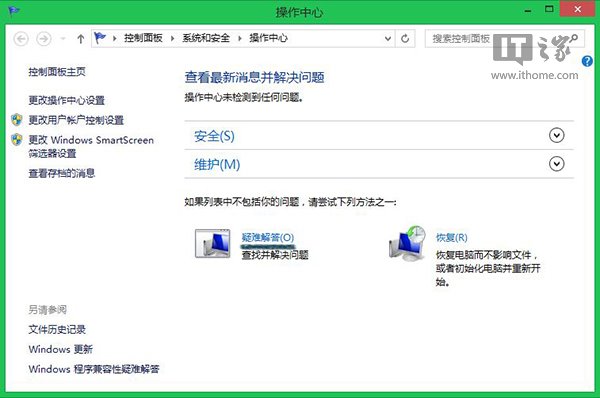
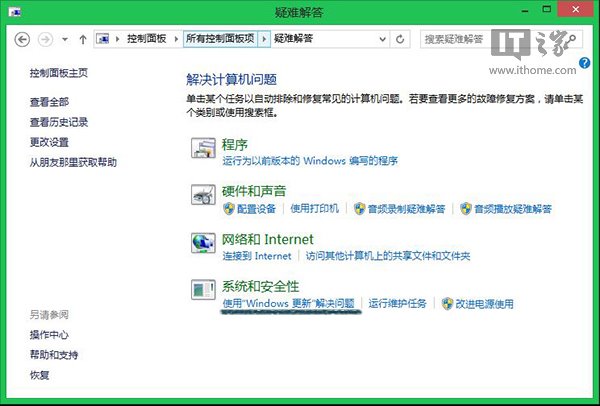
- 開啟「控制台」 → 「系統與安全性」 → 「動作中心」 → 「疑難排解」。
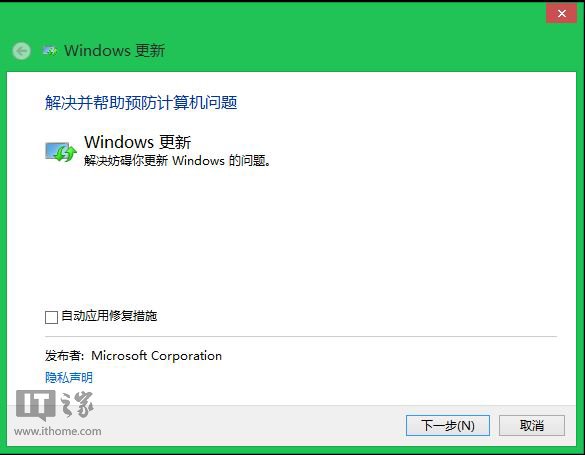
- 選擇「使用 Windows Update 解決問題」 → 執行修復程序。
- 完成檢測後,按「下一步」套用修復。
- 重新開啟Windows Update,安裝Win8.1 Update主程式。
原理說明
- KB2919355修復補丁更新了Windows疑難排解工具的更新修復模組,使其能偵測並修正更新元件存儲中的遺失/損壞檔案。
- 錯誤代碼
0x80070002、0x80070003通常因更新暫存檔遺失、軟體發佈服務異常、防毒軟體攔截導致。
進階替代方案(高階使用者)
- 命令列執行:
dism /online /cleanup-image /restorehealth + sfc /scannow。
- 重設Windows Update元件:停止wuauserv、bits、cryptsvc → 重命名
C:\Windows\SoftwareDistribution與Catroot2 → 重啟服務。
- 下載獨立MSU安裝包手動安裝KB2919355主更新。
普通使用者優先嘗試官方修復補丁+疑難排解工具,圖形化操作無需記指令,成功率高。