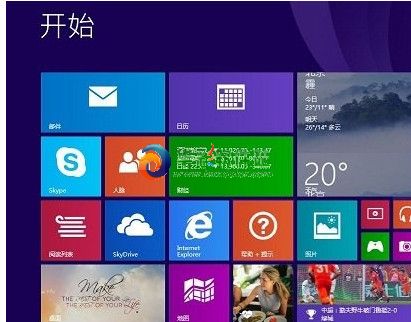
Windows 8.1 Update(KB2919355)推出初期,大量使用者回報安裝至 89% 時失敗,錯誤碼 80073712,系統自動回滾並顯示「無法完成更新,正在復原變更」,微軟官方論壇累積大量案例但暫無正式修補方案。
80073712
sfc /scannow
net stop wuauserv
截至文章撰寫時,微軟尚未釋出官方修正程式,外媒已聯繫微軟尋求回應。建議使用者持續關注 Windows Update 或微軟技術支援部落格,獲取最新修補資訊。
微軟 Windows 8 八大新功能預測:雲端運算、可攜工作區、Hybrid Boot、應用商店、IE10、內建 PDF、History Vault、整合 Skype
Windows 8 資源管理器快速查看系統屬性技巧:兩鍵直達
Win8 超級按鈕「搜索」全能指南:文件、應用商店、應用內搜索一鍵直達
Win8 關閉 Modern UI (Metro) 介面:登錄修改一鍵回傳統桌面
Windows 8 桌面右鍵選單遺失「個人化」修復:登錄檔一鍵還原
Windows 8 通知管理與內建必應財經應用完整教學
善用 Win8 全域搜尋:快速找檔案、設定、應用程式與應用內容
Windows 8 多螢幕切換熱鍵 Win+P:四種投影模式詳解