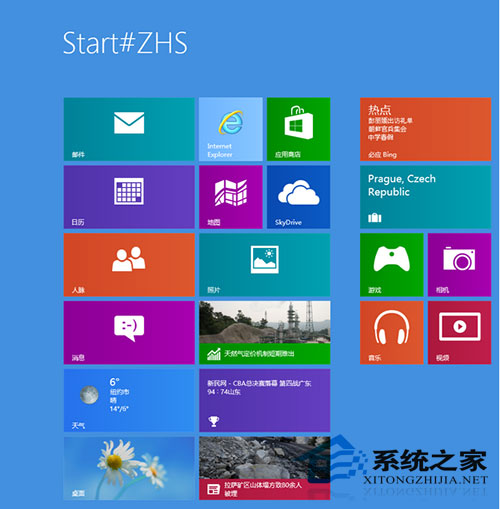
開始屏幕界面突然出現 Start#ZHS 字樣。
Start#ZHS
C:\Windows\Fonts
本質: 非系統故障,而是用戶操作導致的字體映射錯亂,覆蓋官方字體即愈。
Windows 8 顯示記憶體不足解決:工作管理員關閉高佔用程序、升級實體記憶體
Windows 8.1 鎖屏幻燈片自動播放設置圖文教程
微軟 Windows 8 四步戰略:全面重設計、持續推 Win7/Office 2010、吸引企業、提升客戶滿意度
Win8 查詢 CPU 與顯卡配置:系統屬性 + 裝置管理員兩步驟
Windows 8 禁用開機啟動項完整圖文教程
Windows 8 Metro 手寫輸入全新體驗:支援觸控與筆輸入,介面清爽現代
Windows 8 啟用內建 Administrator 管理員帳號登入教學
Windows 8 將預設輸入法設置為英文(美式鍵盤)完整教程