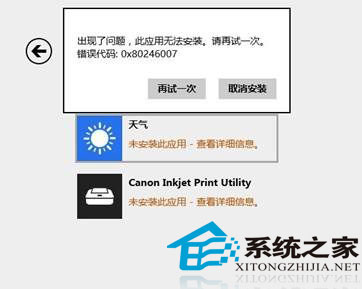
應用商店安裝/更新報錯 0X80246007。
0X80246007
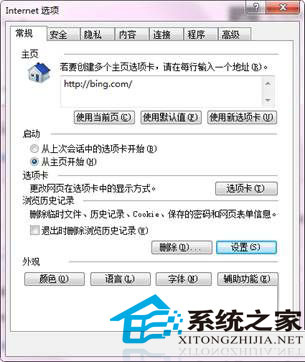
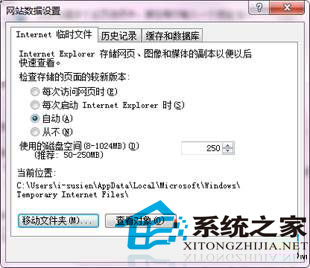
本質: 非商店故障,而是 IE11 臨時文件夾位置異常導致,簡單設置即可修復。
解析 Win 8 OA 3.0 啟用機制:OEM 預裝啟用流程與防破解設計
Win8 設定高對比度顯示 三種啟用方式
Win8/8.1語音辨識功能完整教學:啟用、訓練與十大語音指令操作
Win8 設定視窗透明化:高對比度主題切換技巧啟用 Aero Glass 效果
Windows 8 修改系統地理位置 (位置服務),控制台兩步驟完成
Win8 開機自動撥號寬帶連線(精簡版)
Windows 8.1 升級 Update 方法與注意事項總整理 (2014/04/08 釋出)
Windows 8.1 寬帶撥號錯誤 651 解決方案:臨時腳本與官方修補程式